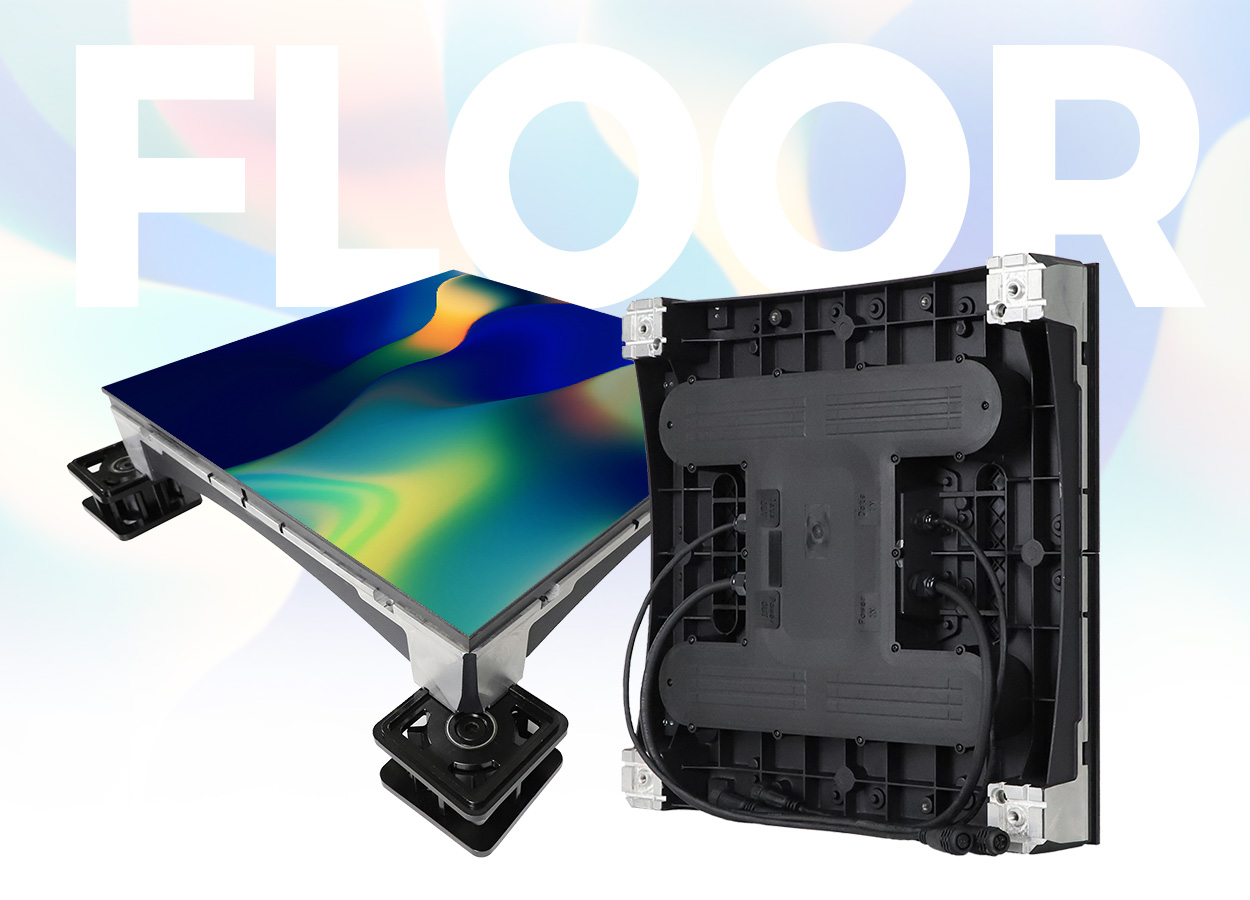
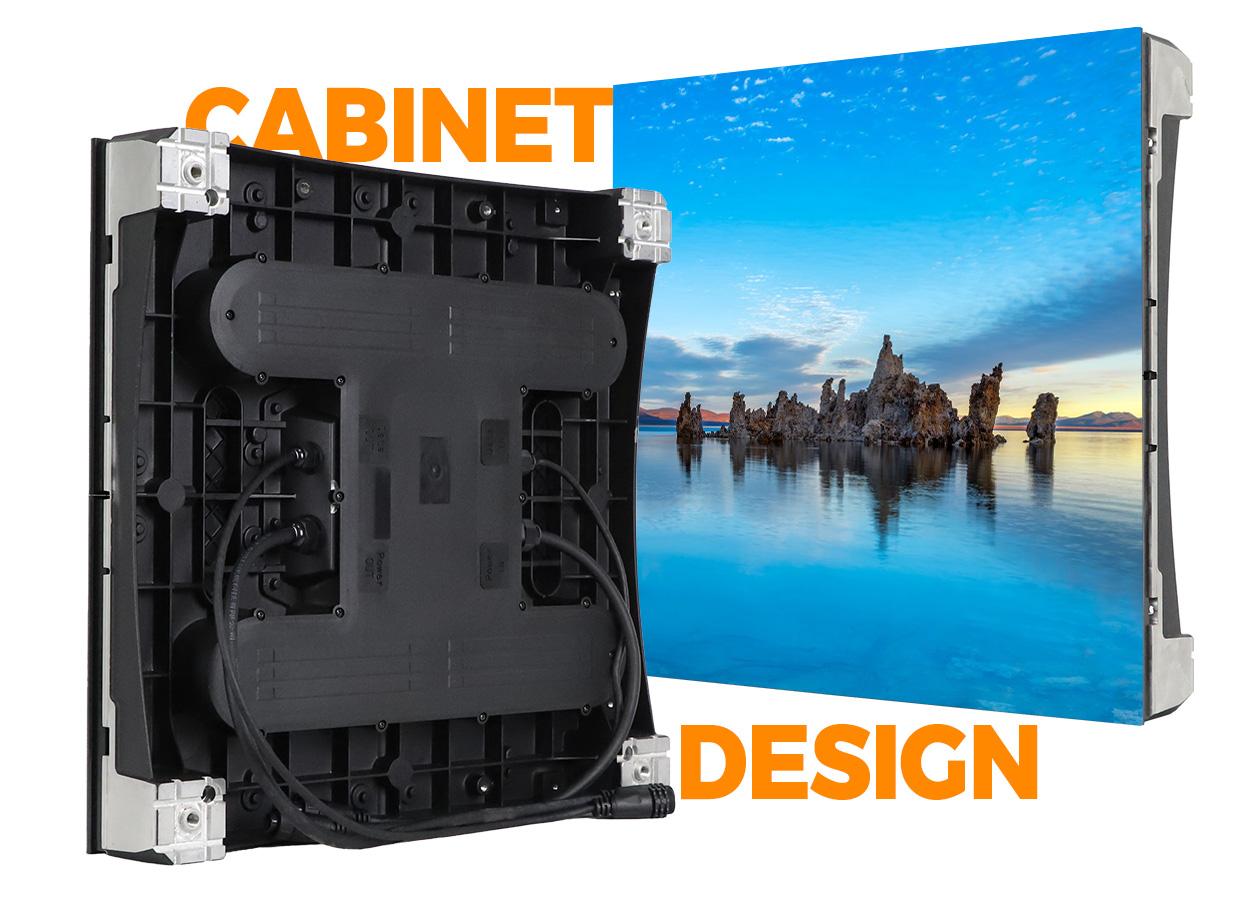
The EA500RF is an indoor LED floor for temporary stages, exhibitions, conferences and other event spaces. EagerLED describes a rental design with anchor fixing, front service and optional sensing that changes the image when someone touches or steps on the floor. The published cabinet measures 500 × 500 mm and weighs 11.1 kg across the five listed pitches. EA500RF product information
A useful project brief starts with the floor layout and what happens on it. A presentation area, an interactive exhibit and a dance performance can use different content and operating arrangements even when the cabinets carry the same model name. Give the supplier the venue drawing and event schedule, then ask for one proposal covering the display, support and staff handover.
Match the pixel pitch to the event content
The official EA500RF table lists P1.52, P1.95, P2.6, P2.97 and P3.91. Each version uses 250 × 250 mm modules in the same 500 × 500 mm cabinet format. Brightness varies with the selected pitch, so the headline model name alone does not settle the visual specification. EA500RF parameter table
| EA500RF configuration | Published brightness | Module resolution | Refresh frequency |
|---|---|---|---|
| P1.52 | 600 cd/m² | 164 × 164 pixels | 7,680 Hz |
| P1.95 | 900 cd/m² | 128 × 128 pixels | 7,680 Hz |
| P2.6 | 1,000 cd/m² | 96 × 96 pixels | 7,680 Hz |
| P2.97 | 900 cd/m² | 84 × 84 pixels | 7,680 Hz |
| P3.91 | 800 cd/m² | 64 × 64 pixels | 7,680 Hz |
These are module resolutions, not the resolution of a complete floor. Ask for a drawing that identifies the cabinet count, orientation and resulting content canvas. The source also lists a 160° viewing angle and 14-bit grayscale for all five configurations. EA500RF display specifications
Use your intended content in the evaluation. Fine text viewed from the edge of a floor is a different task from broad moving patterns seen by an audience. Review both positions rather than selecting from a pixel-pitch number alone. If the event will be filmed, test with the actual camera settings and lighting. The published refresh rate is a product specification; the acceptance test should establish the result in your production setup.
Set out the support and load requirements
EagerLED describes simple anchor fixing for rapid assembly and a load-bearing capacity of more than 1,000 kg/m². The figure is a manufacturer claim for the floor product. It does not supply the structural design, load distribution or venue approval for an assembled installation. EA500RF installation and load information
Send the supplier the intended activity, floor area, supporting surface and any equipment that will stand on it. Ask for the proposed support and anchoring arrangement, including how the display reaches the required level and meets adjacent surfaces. Have the responsible project team establish the permitted use of the completed floor from that design.
Keep cabinet weight separate from the finished installation weight. The listed 11.1 kg refers to a cabinet; the order also needs the weights and arrangement of supports, cabling and accessories. A drawing that identifies all these elements is more useful to the venue than a total based only on the display area.
Schedule a layout check before the event opens. Confirm the floor dimensions against the plan, identify the access points and record who is responsible for assembly acceptance. For a touring installation, retain the approved arrangement with the equipment so the next venue can review it against its own conditions.
Specify the optional interactive system
Interaction is an option on the EA500RF, not a function to assume from the base model name. The official page describes an optional sensing chip and image responses when people touch or step on the surface. EA500RF interactive option
State the experience you want: a pattern following a visitor, a response in a defined zone, or another specific sequence. Ask the supplier to demonstrate that experience on the proposed display and control package. Identify who supplies the interactive content and who adjusts it to the final floor dimensions.
| Planning item | Detail to agree before the order |
|---|---|
| Display configuration | Exact pitch, cabinet quantity and final content canvas |
| Interactive function | Included sensing hardware, software and demonstrated response |
| Floor installation | Support, anchoring, edge arrangement and permitted activity |
| Event operation | Playback controls, startup procedure and responsible operator |
| Maintenance | Front-service tools, spare modules and access procedure |
| Delivery scope | Cases, cables, controller, assembly support and training |
Include a normal playback mode in the discussion if the event needs both interactive and non-interactive sessions. Ask how the operator changes between the agreed modes and what material must be prepared for each. These questions define the required package without assuming undocumented controller features.
Plan front access and indoor protection
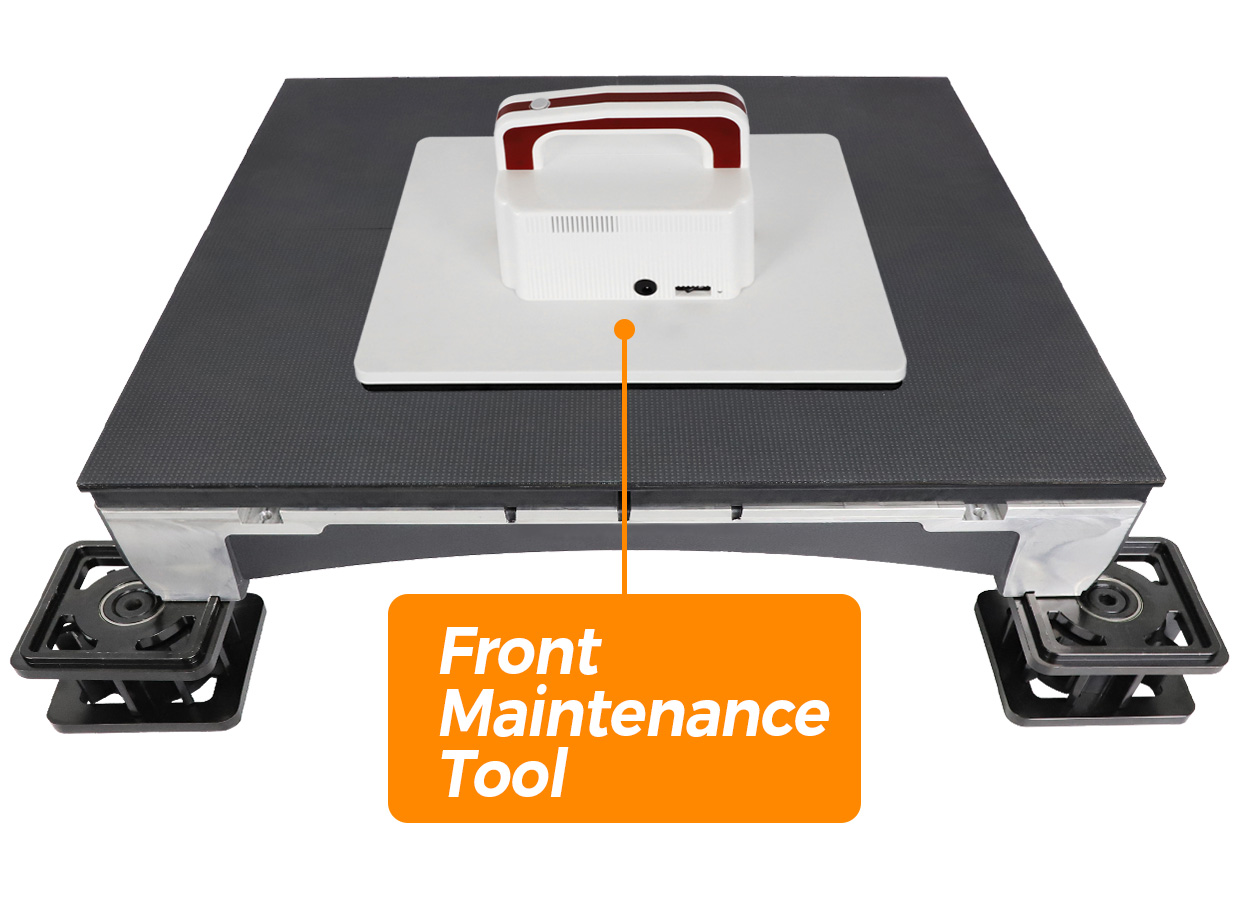
The EA500RF uses vacuum suction technology for front service. EagerLED also describes a protective module surface and a closed rear cover. The detailed table distinguishes IP54 at the front and IP43 at the rear, and lists a working temperature of −10 to +40°C. Use those side-specific values when documenting the indoor installation. EA500RF service and protection
Ask the supplier to show a module replacement on the proposed assembly. Agree how the operator takes the affected area out of use and how a technician reaches the module without disturbing the surrounding floor. Include the appropriate suction tool and matching spare modules in the quotation.
Request the manufacturer’s cleaning and inspection instructions for the installed surface. Keep those instructions with the maintenance record and identify the staff responsible between events. The protection ratings do not by themselves establish a cleaning method or authorize outdoor operation.
For repeated rentals, agree how modules, covers and connection points are checked during packing and the next assembly. Document any damaged component and the replacement procedure before it returns to use. This makes the service plan specific to the equipment delivered rather than leaving it as a general promise of front access.
Compare the complete rental-floor package
Request a quotation against one layout and operating brief. It should identify the EA500RF pitch, cabinet count, interactive option if required, support arrangement, control hardware and spare-parts scope. Ask for the packing format and delivery details for the route your equipment will travel.
Confirm electrical requirements for the chosen configuration in the final technical submission. Keep the circuit design and supplied cable arrangement with the installation drawing so the venue can assess the complete system. The page alone is not a completed event power plan.
Use the quote comparison guide to keep inclusions and exclusions together. Before acceptance, run the agreed content, demonstrate any purchased interaction, and rehearse the front-service procedure. When you request a quote, include the floor dimensions, activity, event dates and destination so the response addresses an actual deployment.
EA500RF questions
Is interaction included in every EA500RF floor?
No. EagerLED identifies the sensing function as optional. Have the sensing hardware, software, content and demonstration requirements written into the order. Interactive option
Does every pitch have the same brightness?
No. The table lists 600, 900, 1,000, 900 and 800 cd/m² for P1.52, P1.95, P2.6, P2.97 and P3.91 respectively. Specify the chosen version explicitly. Brightness table
Can modules be serviced from the surface?
The source describes front service using vacuum suction. Agree the tool, access area and replacement procedure for the assembled floor with the supplier. Front service
Is this an outdoor floor display?
The official model is an indoor rental floor. Its table gives IP54 front and IP43 rear protection. Assess the proposed indoor environment against the exact configuration and installation instructions. EA500RF protection
CHECK THE DETAILS
Sources & references
Source pages can change. Access dates record when they were consulted.
- EA500RF specifications Accessed 23 September 2026
Discuss EA500RF for your project.
Share the application, destination and screen dimensions to request a configuration and written quotation.
Request a project quote