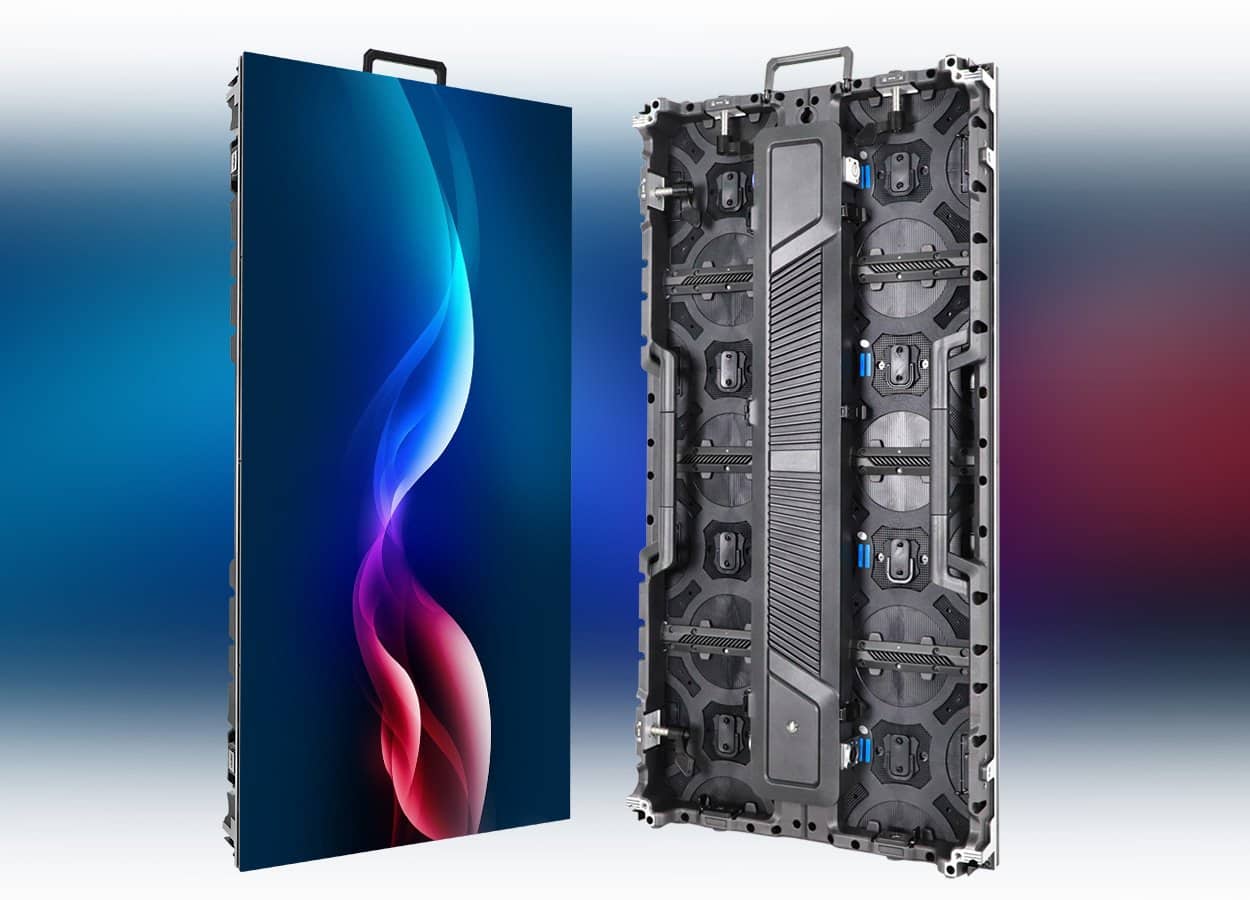
The 500 × 1000 mm C6 cabinet
The EagerLED EA1000C6 is a rental LED screen family built around a 500 × 1000 mm cabinet. The official page offers indoor and outdoor configurations for event and AV work, with separate specification tables for each. It also documents vertical connections to EA500C6 cabinets for mixed-size C6 arrangements. EA1000C6 overview
This cabinet format should be selected against the screen layouts you intend to supply. Send an outline showing the finished dimensions and identify any irregular edges or mixed cabinet sizes. Ask the supplier to return a cabinet drawing for that outline. A quotation expressed only as a total screen area leaves the actual arrangement unresolved.
Read indoor and outdoor specifications separately
The indoor table includes P1.56, P1.95, P2.6, P2.97 and P3.91. Its first three pitch headings carry the GOB designation. The outdoor table includes P2.6, P2.97 and two P3.91 variants, with 16S and 8S suffixes on the latter. Those suffixes matter because the two outdoor P3.91 columns have different brightness and drive-mode entries. EA1000C6 model tables
| Specification | Indoor table | Outdoor table |
|---|---|---|
| Cabinet/display size | 500 × 1000 mm | 500 × 1000 mm |
| Listed unit weight | 11 kg | 12.6 kg |
| Module size | 250 × 250 mm | 250 × 250 mm |
| Pitch options | P1.56 GOB, P1.95 GOB, P2.6 GOB, P2.97, P3.91 | P2.6, P2.97, P3.91-16S, P3.91-8S |
| Protection grade | IP31 | IP65 front, IP54 rear |
| Refresh rate | At least 3,840 Hz | At least 3,840 Hz |
This comparison preserves the scope of the two official parameter tables. It does not make an indoor cabinet suitable for an outdoor brief. Put the full model reference and intended environment in the purchase specification.
Brightness also needs an exact model reference. The indoor table lists 700 cd/m² for iP1.56, 750 cd/m² for iP1.95, iP2.6 and iP2.97, and 800 cd/m² for iP3.91. Outdoors, OP2.6 and OP2.97 are listed at 4,500 cd/m², OP3.91-16S at 4,800 cd/m² and OP3.91-8S at 6,000 cd/m². Brightness by variant
Ask for the proposed pitch to be reviewed with your audience positions and example content. Retain a dated configuration sheet with the quote, so that any later change in model or brightness is visible in the order documents.
Frame, alignment and cabinet handling
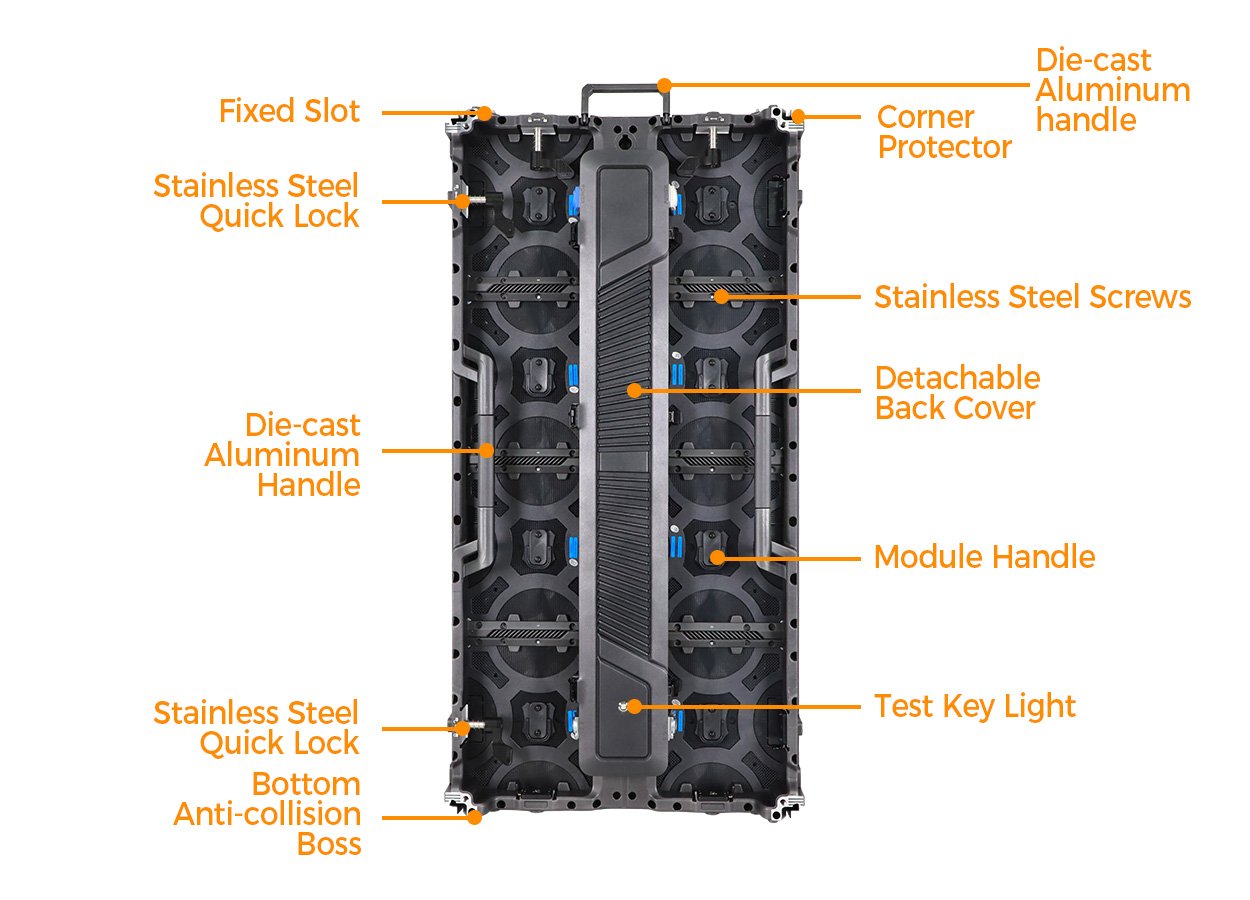
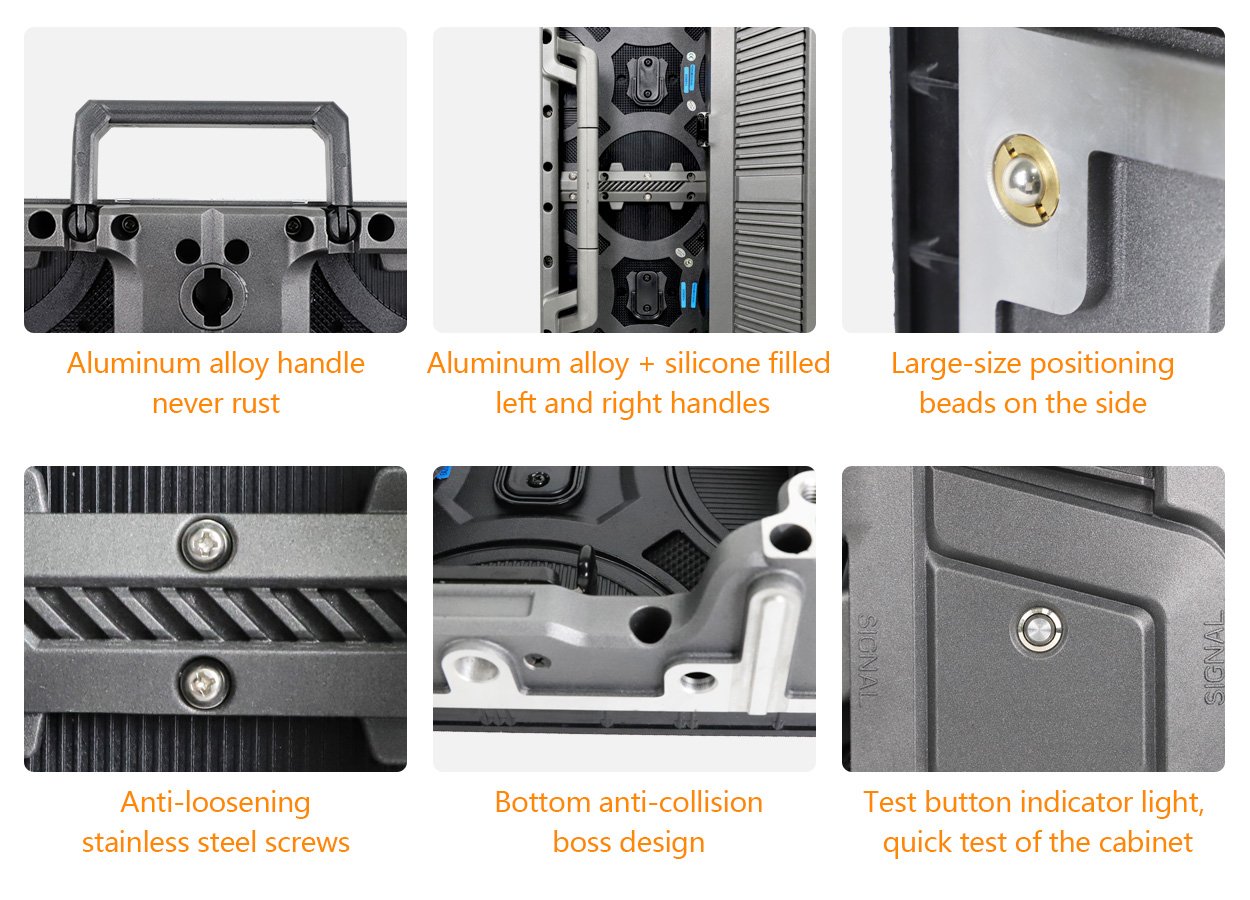
EA1000C6 uses a die-cast aluminum frame with stainless-steel locks and screws and aluminum-alloy handles. EagerLED describes positioning beads for alignment and quick locks on the top and left sides. Four corner protectors are provided to shield exposed LED edges during handling. Cabinet construction
The published 11 kg and 12.6 kg figures are the unit weights in the respective product tables. Keep those values separate from consignment information. Request a packing list for the actual order, including the number of packed units and the stated transport dimensions and weights. Use that list for delivery discussions rather than extending a bare cabinet weight into an assumed shipment total.
Mixed heights and optional curved arrangements
The EA1000C6 page documents vertical connections between the 500 × 1000 mm cabinet and EA500C6 500 × 500 mm cabinets. It also describes staggered connections for asymmetric display outlines. Optional angle hardware supports concave and convex arrangements. C6 layout options
Separate the required shapes in the enquiry. Provide one drawing for the main arrangement and additional drawings for alternatives you genuinely expect to use. Ask which hardware is common to all of them and which items belong to a particular configuration. A mixed-height wall and a curved wall should each have an identifiable cabinet and hardware schedule.
Do not treat optional angle hardware as an included feature of an unspecified order. Have the quotation name it if the project requires it. Ask the supplier to approve the proposed curve and cabinet combination, rather than inferring an allowed angle or radius from an illustration.
For an irregular outline, identify the content area as well as the physical outline. Label the different parts of the display on the drawing so that the content team, supplier and purchasing team use the same references throughout the review.
Rear access and maintenance documentation
EagerLED describes an opening back cover, with the power supply close to the service door, and cabinet ventilation. The official maintenance description therefore gives rear access a clear role in the EA1000C6 installation. Rear service details
Send the supplier a rear view of the intended layout and show any surrounding scenery or enclosure. Ask it to identify the access required for the selected configuration’s maintenance procedure. Keep that response with the installation drawing so it remains available when the equipment moves between venues.
Specify the spare components you want priced as part of the package and ask for their references to match the selected variant. Separate replacement modules, assemblies and other requested parts in the schedule. If training or documentation is included in the purchase, record its scope and the people responsible for accepting the handover.
Compare the complete rental inventory offer
Use a quotation schedule that keeps the cabinet order and the wider operating package distinct. The table below is a buyer’s planning aid; it does not imply that every listed item is standard supply.
| Quotation line | Detail to agree | Check before accepting the offer |
|---|---|---|
| EA1000C6 cabinets | Exact variant and quantity | Matches the approved screen drawing |
| Mixed C6 cabinets | References and positions of the smaller cabinets | The proposed combination is confirmed |
| Curved arrangement | Required angle hardware and layout | Optional items are named in the offer |
| Control equipment | Intended inputs and operating responsibility | Equipment and handover scope are itemized |
| Transport | Cases or other packing and delivery destination | Final packing list supports the delivery quote |
| Support package | Named spares and documentation | Quantities and model references are recorded |
For broader purchase planning, see the rental panel cost guide. Submit the selected variant, screen drawings and requested supply scope through the project quote form. Ask the supplier to identify any substitutions in a revised offer rather than changing equipment descriptions silently between versions.
Frequently asked questions
How large is an EA1000C6 cabinet?
The official tables specify a 500 × 1000 mm cabinet/display format and 250 × 250 mm modules. Use a supplier-approved layout to establish the cabinet quantities for the proposed wall. Cabinet dimensions
Can the screen include smaller C6 cabinets?
Yes. The official page describes vertical connections with the 500 × 500 mm EA500C6. Submit the exact proposed models and arrangement for confirmation before combining an existing fleet with new equipment. Mixed C6 splicing
Is curved installation part of the standard cabinet price?
The manufacturer describes the angle hardware as optional. Request it explicitly and have the curve and cabinet arrangement covered by the quotation. Optional curved installation
Are both outdoor P3.91 versions equally bright?
The published table lists different brightness values: 4,800 cd/m² for EA1000C6-OP3.91-16S and 6,000 cd/m² for EA1000C6-OP3.91-8S. A quote should retain the full suffix. Outdoor brightness entries
Does the product page specify a complete delivered package price?
The page invites a configuration-specific quotation. Define the cabinets, requested accessories, service scope and destination in the enquiry, then compare written offers against that scope. Manufacturer quotation request
CHECK THE DETAILS
Sources & references
Source pages can change. Access dates record when they were consulted.
- EA1000C6 specifications Accessed 23 September 2026
Discuss EA1000C6 for your project.
Share the application, destination and screen dimensions to request a configuration and written quotation.
Request a project quote