Specify the display shape before the cabinet package
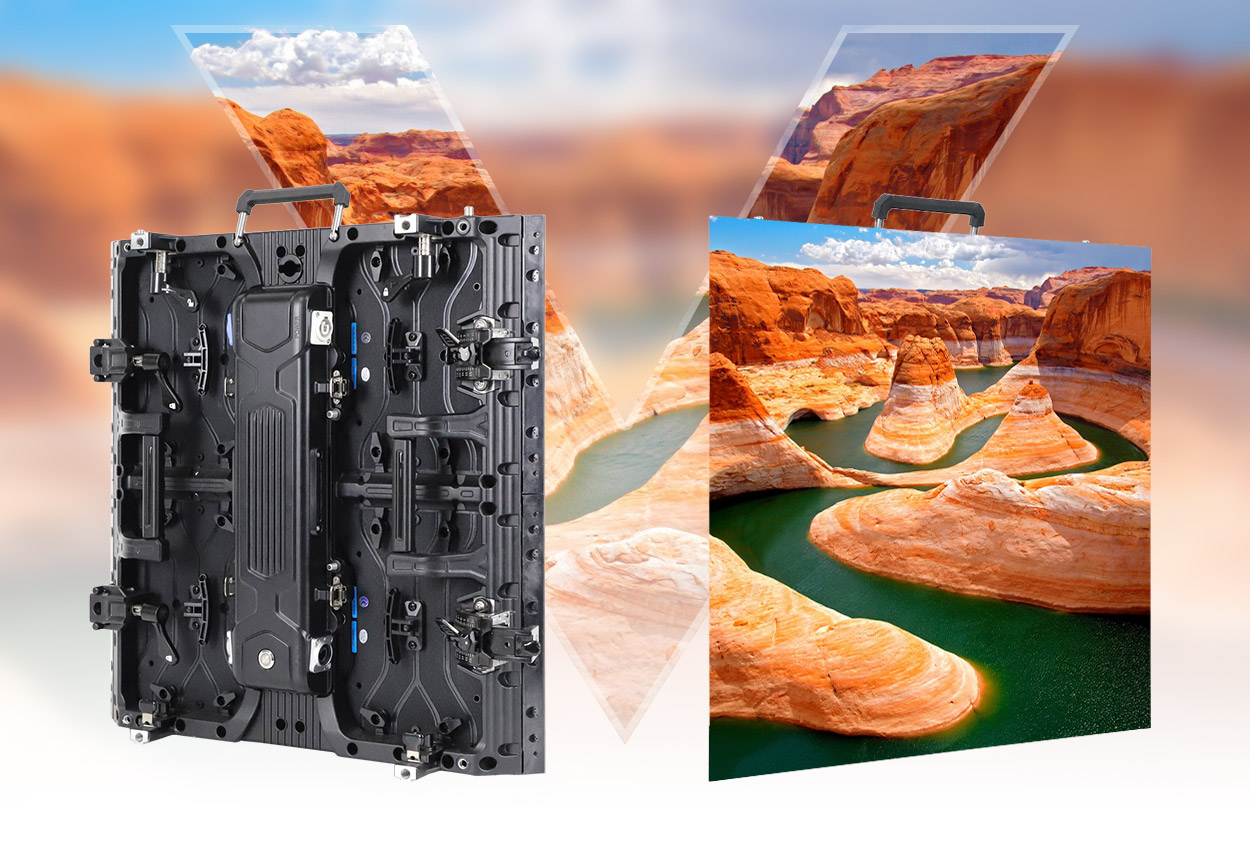
The EagerLED EA500H8V combines a 500 × 500 mm rental cabinet with features for flat, curved and right-angle display arrangements. Each cabinet contains four 250 × 250 mm modules. EagerLED identifies exhibition corners, cube displays and stage backdrops among its applications, with indoor and outdoor versions listed separately. EA500H8V model overview
For a buyer, the first decision is the intended arrangement. A flat backdrop, a display around a booth corner and a multi-face stage object need different drawings even if they use the same cabinet family. Start with labeled views of the proposed display, including the face dimensions and the direction of every corner. Ask for the cabinet allocation to be returned against those views.
Understand the bevel and the assembled corner
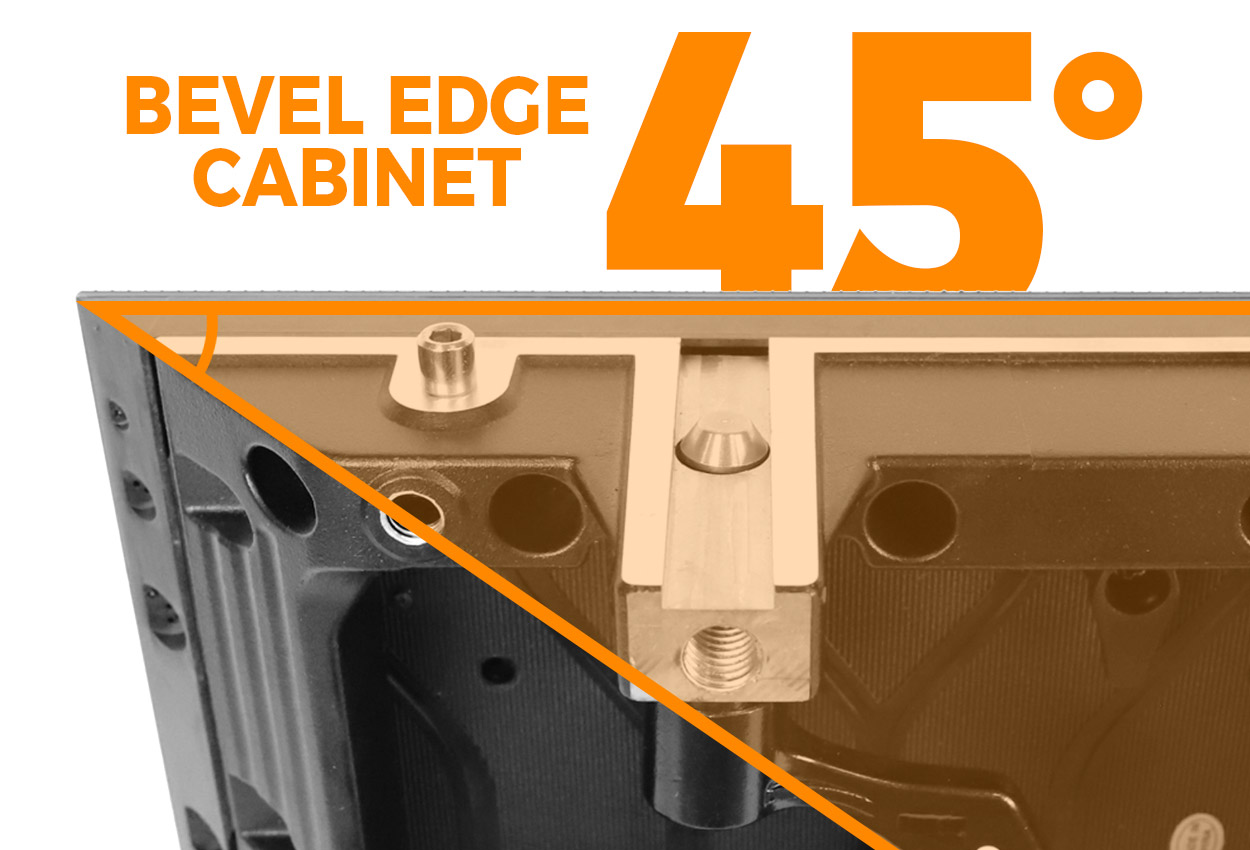
The EA500H8V has a 45-degree beveled cabinet edge. EagerLED describes adjacent cabinets forming a 90-degree display corner; the 45-degree value describes the edge geometry, not the final angle between the display faces. The official page also documents cube-shaped builds. Right-angle cabinet design
Keep those two angles distinct in the brief and quotation. Label a drawing with the desired finished corner and ask the supplier to identify the cabinet orientation and connecting equipment. This avoids an ambiguous request for “a 45-degree screen” when the intended object has square corners.
Treat each face as a named part of the design. Give the content team the same face labels as the equipment supplier so that artwork and cabinet drawings can be reviewed together. If a face is added or removed during design development, request a revised quantity schedule. Do not assume the cabinet count for one face describes a complete multi-face structure.
Curved sections and mixed cabinet families
EA500H8V uses arc locks for curved sections and quick locks between adjacent cabinets. EagerLED distinguishes this curved arrangement from the cabinet bevel used at a right-angle corner. It asks buyers to confirm supported lock angles and the required curve before specifying a radius. Curved installation details
Submit the desired curve as part of the overall layout. Ask the supplier to state the cabinet arrangement and lock settings it proposes, then have the design team review that response. If you intend to reconfigure the same inventory for flat work, include that arrangement in the equipment schedule too. This establishes the scope of the requested package without inventing a universal angle range for the model.
The official page names EA500H7, EA500H8 and EA1000H8 as families that can be combined with EA500H8V. It also calls for confirmation of cabinet version, pitch and control configuration. Mixed cabinet compatibility
Provide exact model references for any existing cabinets. Request confirmation for the complete combination, including the intended operating configuration. A family-level connection statement should not replace an order-specific review of the cabinets the team will actually assemble.
Compare indoor and outdoor configurations
The indoor table lists P1.56, P1.95 and P2.6 with GOB in their column headings, plus P2.97. The outdoor table lists P2.6, P2.97 and two P3.91 versions. The table below selects configurations with their exact published brightness entries; it does not assign one brightness figure to the whole EA500H8V family. Model specification tables
| Exact configuration | Brightness in the model table | Protection in the model table |
|---|---|---|
| EA500H8V-iP1.95, indoor GOB | 750 cd/m² | IP31 |
| EA500H8V-iP2.6, indoor GOB | 750 cd/m² | IP31 |
| EA500H8V-iP2.97, indoor | 750 cd/m² | IP31 |
| EA500H8V-OP2.97, outdoor | 4,500 cd/m² | IP65 front, IP54 rear |
| EA500H8V-OP3.91-16S, outdoor | 4,800 cd/m² | IP65 front, IP54 rear |
| EA500H8V-OP3.91-8S, outdoor | 6,000 cd/m² | IP65 front, IP54 rear |
The entries above are drawn from the EA500H8V parameter columns. Retain the 16S or 8S suffix where applicable. A quotation labeled only “P3.91 outdoor” does not identify which of those published versions is being offered.
The tables list a refresh rate of at least 3,840 Hz, a 140° viewing angle and 14-bit grayscale across the documented variants. Indoor cabinet weight is listed as 6.4 kg; outdoor cabinet weight is 6.6 kg. These are cabinet specifications, so ask separately for the packing details of your complete shipment. Common parameters and weight
Front modules and rear power-box access
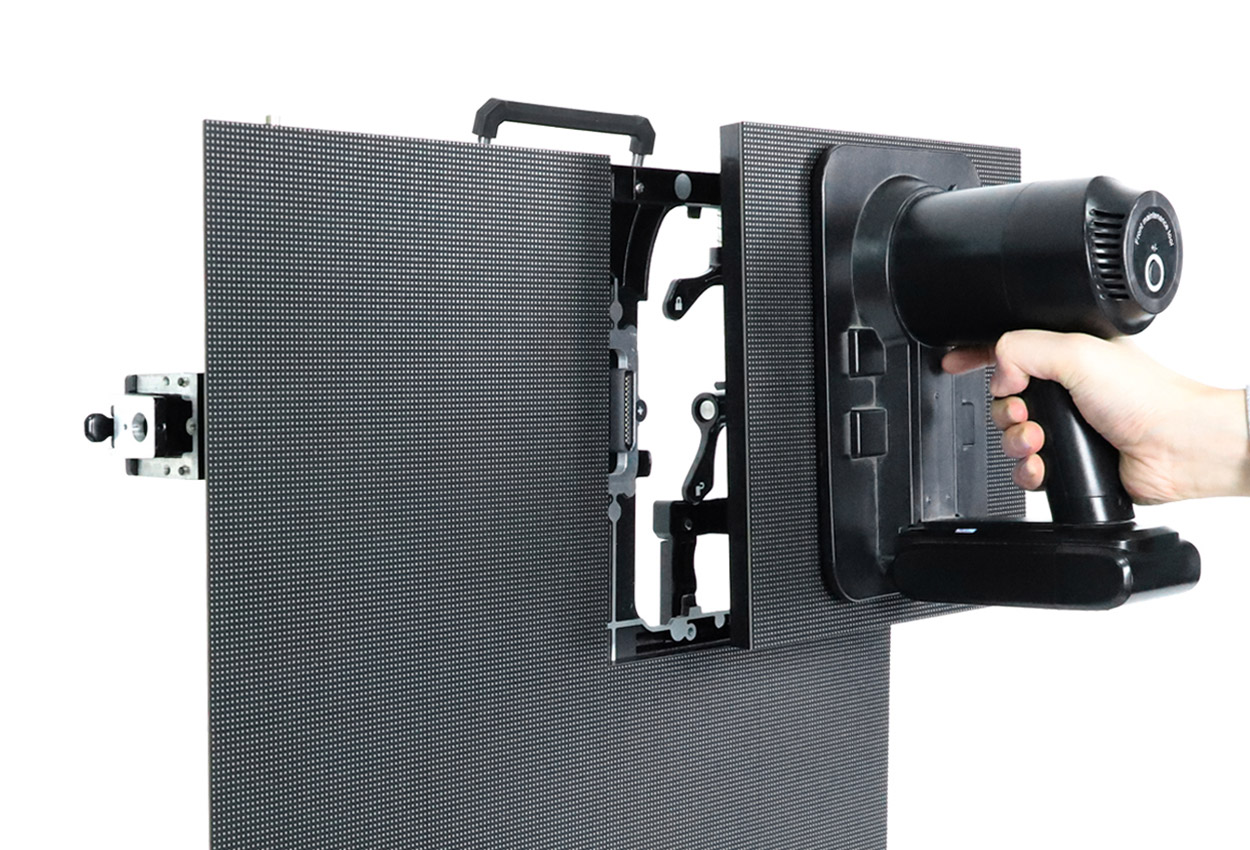
EA500H8V supports front and rear maintenance. The manufacturer describes magnetic modules accessed from the front, along with a detachable power box and HUB connection at the rear assembly. It explicitly notes that front module access does not remove the need to plan access to power and control components. Dual-service arrangement
Review the service procedure against the proposed display shape. Ask the supplier to demonstrate module access at an ordinary flat section and at the locations your drawing makes difficult to reach. Identify the service route for the rear assembly as a separate item. This is particularly relevant to a cube or corner concept, where an audience-facing rendering may omit the spaces that technicians need to reach.
Review the complete purchase and event brief
Use the following questions to review the proposed package. They are buyer requests, rather than promises that these services or accessories accompany every cabinet.
| Part of the package | Question for the quotation | Document to keep |
|---|---|---|
| Display faces | Which cabinets belong to each labeled face? | Cabinet arrangement drawing |
| Curved sections | Which lock settings and equipment form the proposed curve? | Configuration-specific layout response |
| Mixed inventory | Which existing cabinet references are approved for this combination? | Compatibility confirmation |
| Maintenance | How are modules and rear components accessed in this layout? | Service procedure and tool list |
| Controls and content | What equipment and responsibilities cover the requested inputs and faces? | Control and handover scope |
| Packing and delivery | What is packed, and to which destination? | Packing list and delivery terms |
The rental display purchase guide covers wider budgeting categories. Use the quote request to submit the drawings and selected model references.
Frequently asked questions
Does a 45-degree cabinet edge make a 45-degree display corner?
The manufacturer distinguishes the beveled edge from the assembled corner: adjacent EA500H8V cabinets form a 90-degree corner. Specify the finished display shape in the drawing. Cabinet geometry
Can the model also make a curved wall?
Yes. The official page describes arc locks for curved walls, alongside flat and right-angle configurations. Obtain confirmation of the required curve and supported lock settings for the proposed build. Arc-lock configuration
Is all maintenance carried out from the front?
No. The model supports front and rear access. Magnetic modules have front access, while the manufacturer also describes the detachable rear power-box assembly and the need to plan component access. Maintenance scope
Which outdoor P3.91 brightness figure should I use?
Use the exact variant. The table lists 4,800 cd/m² for EA500H8V-OP3.91-16S and 6,000 cd/m² for EA500H8V-OP3.91-8S. Keep the model suffix in the quotation and equipment record. Outdoor P3.91 specifications
CHECK THE DETAILS
Sources & references
Source pages can change. Access dates record when they were consulted.
- EA500H8V specifications Accessed 23 September 2026
Discuss EA500H8V for your project.
Share the application, destination and screen dimensions to request a configuration and written quotation.
Request a project quote