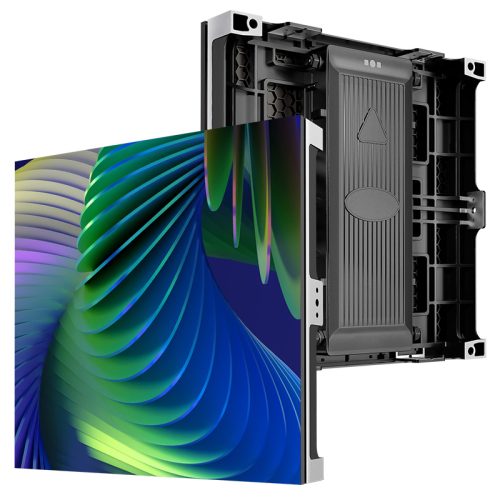
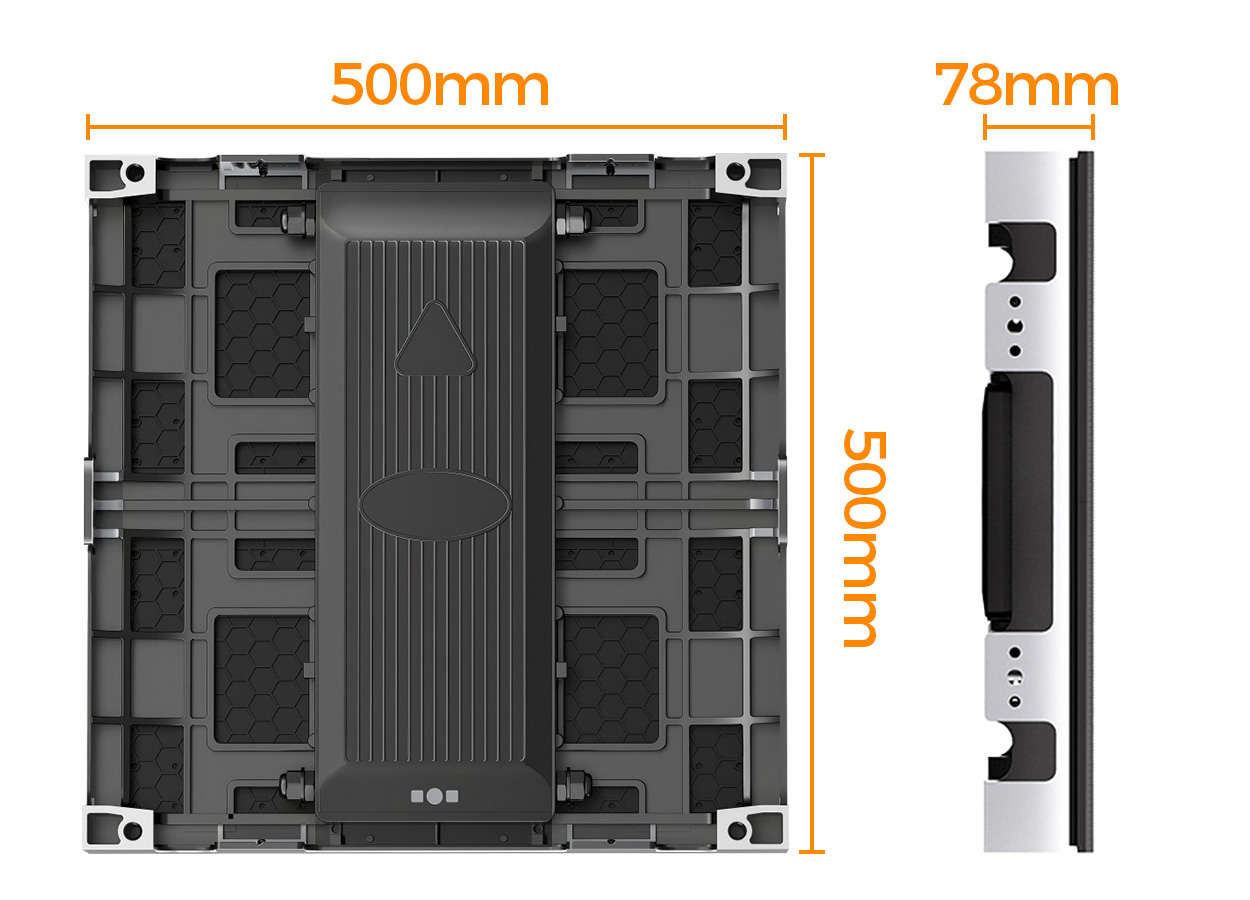
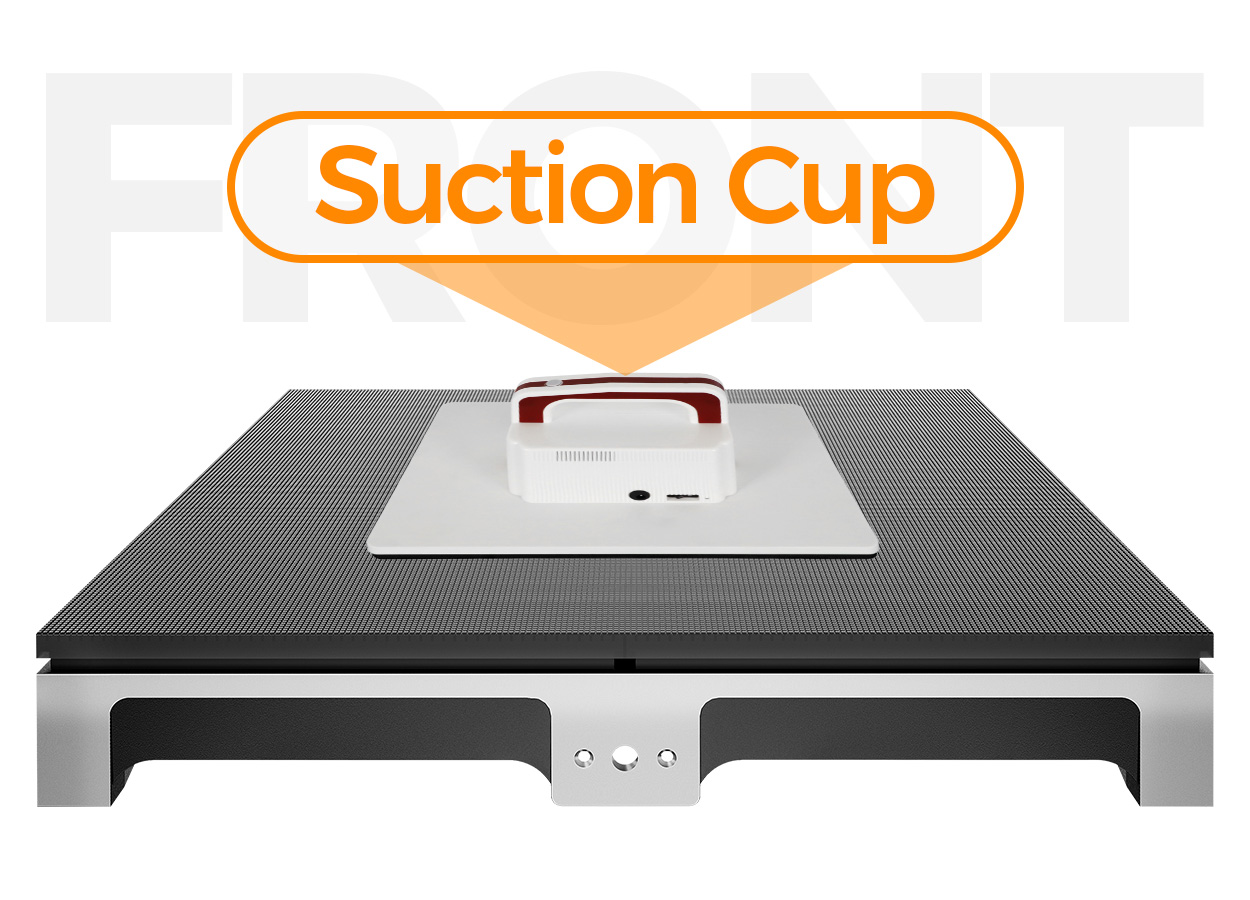
The EA500RF2 is an indoor GOB floor LED display for rental stages, exhibitions, conferences and immersive venues. EagerLED specifies a die-cast aluminum cabinet measuring 500 × 500 × 78 mm and weighing 11.1 kg. A protective resin layer covers the LED module, while front access allows module removal using a vacuum suction tool. Interactive sensing is an optional part of the system. EA500RF2 product information
Begin with the installation drawing and the intended activity. Describe who will use the floor, what they will see and whether their movement should affect the picture. These choices help define the pitch, support, controller and content scope. Ask for the full configuration under the exact EA500RF2 model name so the delivered floor can be checked against one agreed specification.
Select the pitch and prepare the content canvas
The official specification table lists five configurations: P1.52, P1.86, P1.95, P2.5 and P2.6. They share the same cabinet size and 250 × 250 mm module format. All five are listed at 600 cd/m² brightness, a 140° viewing angle and 14-bit grayscale. EA500RF2 configurations
| Configuration | Published module resolution | Module dimensions | Brightness |
|---|---|---|---|
| P1.52 | 160 × 160 pixels | 250 × 250 mm | 600 cd/m² |
| P1.86 | 134 × 134 pixels | 250 × 250 mm | 600 cd/m² |
| P1.95 | 128 × 128 pixels | 250 × 250 mm | 600 cd/m² |
| P2.5 | 100 × 100 pixels | 250 × 250 mm | 600 cd/m² |
| P2.6 | 96 × 96 pixels | 250 × 250 mm | 600 cd/m² |
Keep the module resolution distinct from the final screen resolution. Request the cabinet layout and controller map for the proposed floor dimensions, then give that canvas to the content team. The supplier should confirm how the quoted pitch and quantity translate into the operating display.
EagerLED lists a refresh frequency of at least 3,480 Hz for every EA500RF2 configuration. Use that published value when comparing this model. For filmed events, test the proposed floor with the production camera, lighting and playback settings. Include your actual graphics and moving content in the test; a refresh figure alone does not document the resulting camera image. EA500RF2 refresh specification
Evaluate the pitch from the expected audience positions. An attendee looking down at a close interactive effect and a seated audience watching the whole stage have different visual tasks. The pixel-pitch guide can help structure that comparison before you settle the configuration.
Design the support for the actual venue
EA500RF2 cabinets assemble on a dedicated floor support structure. The official page states a load capacity above 800 kg/m² for the correctly assembled system and specifically calls for confirmation of subfloor conditions, load distribution and venue requirements. EA500RF2 support and load information
Provide the supplier with the floor plan, underlying surface and planned activities. Include any equipment positioned on the display and identify where it will stand. Ask for the appropriate support arrangement and the permitted use of the completed assembly. The responsible project team needs that information before approving the installation for the event.
The 78 mm dimension describes the cabinet depth. Ask for the finished height of the proposed floor after its supports and adjacent edge treatment are included. Likewise, the 11.1 kg figure is a cabinet weight rather than a complete installed-system weight. Keep the additional structure and accessories visible in the technical submission.
EagerLED calls for checks of cabinet locks, support leveling, cable routing and surface alignment before power-up. Build that inspection into the handover with named responsibility and a record of the agreed layout. For a rental fleet, keep the assembly instructions with the equipment so subsequent crews can reproduce the intended installation. EA500RF2 installation guidance
Understand GOB protection and front service
GOB means Glue on Board: a resin layer protects the LED module surface. On the EA500RF2 this is combined with a sealed rear cover and different enclosure ratings on the two sides. The specification gives IP54 at the front and IP43 at the rear, with a working temperature of −20 to +55°C. The product is specified for indoor use. EA500RF2 protection details
These details help define the equipment, but the site plan still needs appropriate operating and maintenance instructions. Ask for the recommended cleaning materials, inspection routine and procedure for taking an affected area out of use. Keep the supplier’s instructions available to venue and rental staff.
Front access uses a vacuum suction tool to remove LED modules from the display surface. Ask the supplier to demonstrate a replacement in the proposed support arrangement, then confirm the tools and matching spares included in the order. A shared 250 × 250 mm format does not establish that different pitch modules are interchangeable; identify spare parts by the exact supplied configuration.
Schedule a service demonstration before final acceptance. It should cover access to a module, its replacement and the checks required before the floor returns to operation. This gives the maintenance team a defined process and makes the spare-parts package reviewable.
Define the optional interactive experience
The official page describes optional sensor chips that detect steps or touch and send position data to compatible interactive content. It also states that a non-interactive configuration can be selected for standard playback. Confirm which system is offered in the quotation. EA500RF2 sensing option
Write a brief for the intended response before discussing the media package. Specify the areas that should react, the visual result and whether the event also requires ordinary video playback. Ask the supplier to demonstrate the proposed content on the chosen sensor and control arrangement.
| Required outcome | Information to include in the order |
|---|---|
| Standard video floor | Playback equipment, final canvas and supplied content format |
| Response to visitors’ steps | Sensor package, compatible software and acceptance demonstration |
| Change between event sequences | Operator controls, content preparation and handover instructions |
| Repeat installation at another venue | Support drawings, cabinet identification and mapping procedure |
| Service between sessions | Tools, matching spares and approved return-to-use checks |
| Complete delivery | Cases, cables, supports, controller and training scope |
Agree who creates the media and who adapts it if the floor dimensions change. Ask how the operator checks the system before guests arrive and who provides support during the event. These are practical delivery requirements; they should appear alongside the display specification rather than remain an informal discussion.
Request a quotation for the complete floor
Send the screen dimensions, pitch preference, activity, audience positions, event schedule and destination when you request a quote. State explicitly whether interaction is required. Ask the response to separate the cabinets from supports, control equipment, cases, cabling, spare modules and services.
The official table lists AC100–240 V at 50–60 Hz, maximum consumption of 800 W/m² and average consumption of 300 W/m² across the five configurations. Use these as published planning inputs and ask for the electrical requirements of the complete proposed system. Actual event consumption depends on operation; the average table value is not a measurement of your future playlist. EA500RF2 electrical specifications
Use the quote comparison guide to retain inclusions and exclusions with each proposal. During acceptance, verify the model, pitch and quantity, inspect the assembled layout, and demonstrate the agreed playback and service tasks. Record any remaining items before handing the equipment to the event operator.
EA500RF2 questions
Is the interactive sensor system standard?
No. EagerLED describes it as optional and allows a non-interactive version for standard playback. Specify the sensing, control and content package if your project needs it. Interactive option
What is the published refresh frequency?
The current EA500RF2 page and its five-column table state at least 3,480 Hz. Use the exact model’s published value and test filmed content under the intended production settings. Refresh specification
Does GOB protection make this an outdoor floor?
No. The source identifies the EA500RF2 as an indoor model, with IP54 front and IP43 rear ratings. It does not authorize outdoor operation or standing water. Protection description
Can the surface modules be replaced from above?
Yes. EagerLED describes front-service removal with a vacuum suction tool. Confirm the supplied tool, spare modules and access procedure for your completed installation. Front-service description
CHECK THE DETAILS
Sources & references
Source pages can change. Access dates record when they were consulted.
- EA500RF2 specifications Accessed 23 September 2026
Discuss EA500RF2 for your project.
Share the application, destination and screen dimensions to request a configuration and written quotation.
Request a project quote