An outdoor rental cabinet with a defined rear-service route
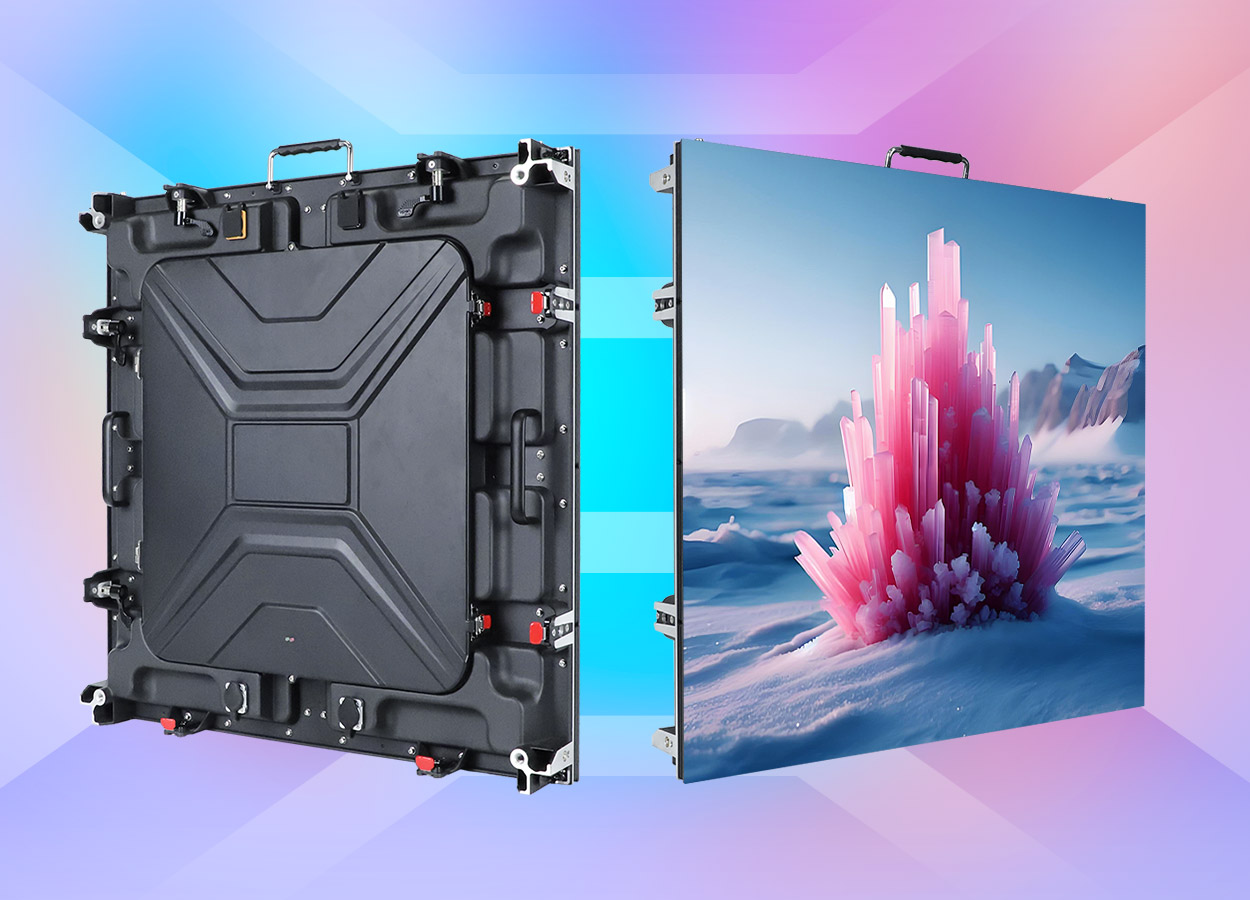
The EagerLED EA640C3 uses a 640 × 640 mm cabinet for outdoor rental screens. The official page describes an openable rear cover, a built-in cooling fan, dual quick locks and positioning pins. It lists stages, exhibitions, sports events and temporary advertising among the intended uses. EA640C3 cabinet overview
Those features make the space behind the screen an early planning issue. A team considering EA640C3 should show the rear access route on the event drawing, along with the screen outline. The supplier can then review how technicians open the cover and reach internal components once the wall sits beside scenery or a supporting structure.
Begin with an event brief that names the venue conditions and the display’s job. A screen carrying presentation material needs different content review from one showing concert visuals or event information. Provide samples and audience positions before choosing a pitch. Keep the technical selection linked to that brief throughout the enquiry.
The published pitch options have different power and brightness figures
EagerLED publishes six EA640C3 variants. The cabinet dimensions and weight remain common in the table, while brightness and power entries vary by model. The values below preserve those differences.
| Exact model | Pitch label | Brightness | Maximum consumption | Average consumption |
|---|---|---|---|---|
| EA640C3-P1.86 | P1.86 | 4,000 cd/m² | 500 W/m² | 170 W/m² |
| EA640C3-P2 | P2 | 4,500 cd/m² | 550 W/m² | 185 W/m² |
| EA640C3-P2.5 | P2.5 | 5,000 cd/m² | 550 W/m² | 185 W/m² |
| EA640C3-P3.076 | P3.076 | 5,000 cd/m² | 600 W/m² | 200 W/m² |
| EA640C3-P4 | P4 | 5,500 cd/m² | 600 W/m² | 200 W/m² |
| EA640C3-P5 | P5 | 5,500 cd/m² | 650 W/m² | 220 W/m² |
The EA640C3 specification table supplies these figures. Maximum and average consumption are separate source fields. Keep both labels intact when passing the data to the team responsible for the site’s electrical distribution, and request the complete power plan for the approved screen rather than treating a table entry as a circuit design.
Across these variants, the source lists 320 × 160 mm modules, an 11.5 kg cabinet weight and IP65 protection. It gives refresh frequency of at least 3,840 Hz, frame frequency of at least 60 Hz, 14-bit grayscale and a viewing angle of 140°. EA640C3 common specifications
Choose the exact model before finalizing the media layout and parts list. A replacement proposal should carry its own complete specification, even when the cabinet outline is unchanged. Retain the full P3.076 label where that entry is selected; rounding a model reference in the equipment schedule makes later component identification harder.
Match the square cabinet format to the venue drawing
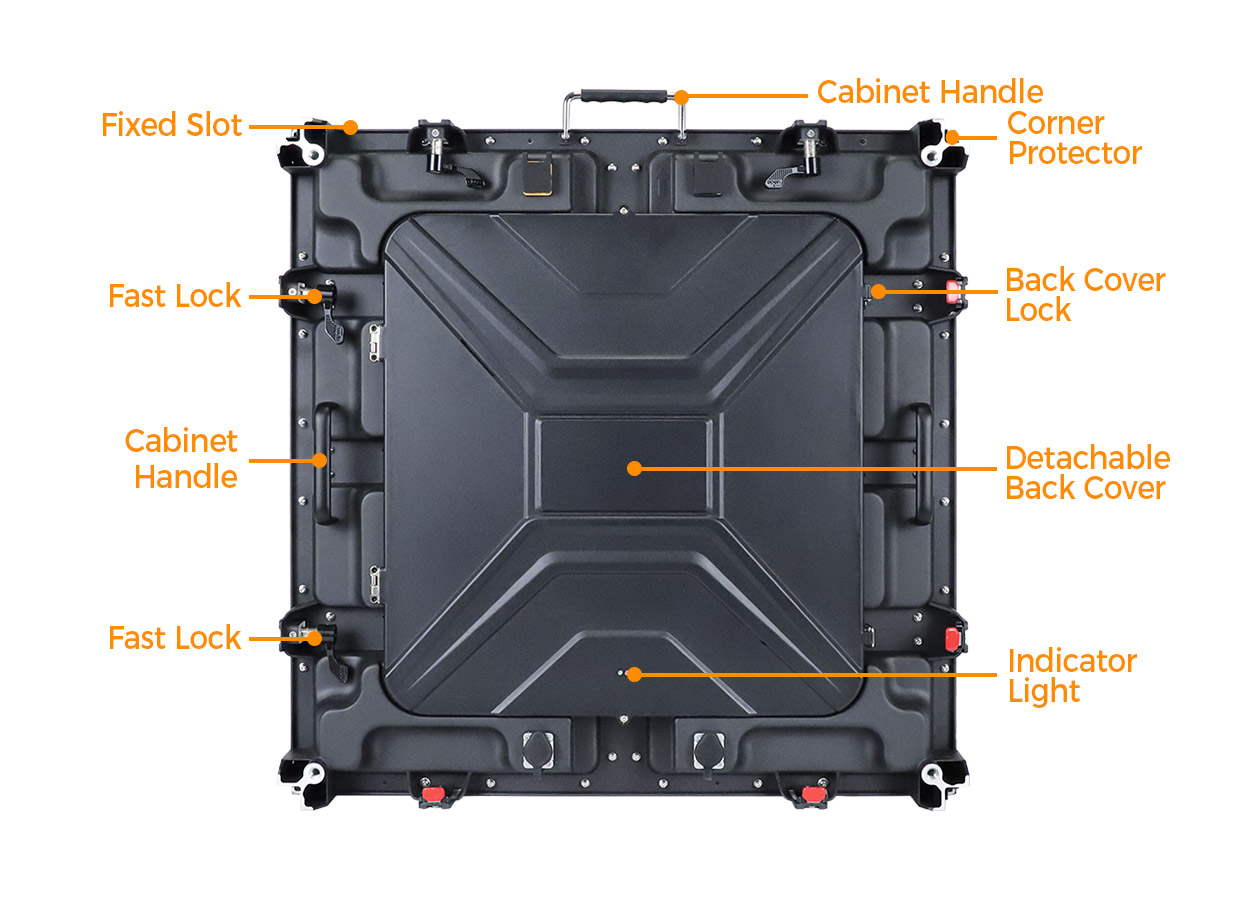
The official installation description places quick locks on the top and side of the cabinet and uses positioning pins for panel alignment. The cabinet also has recessed handles, alignment slots and corner guards. EA640C3 assembly and handling details
Prepare a layout showing cabinet orientation and the finished display boundary. Include the adjoining stage elements, the position of the supporting system and any restricted access. Ask the supplier to return the approved cabinet arrangement with the required connection and support equipment. Keep the installation instructions with that drawing, where the crew can check them during setup.
The source describes the cabinet format but does not establish a universal hanging limit, stacking height or interchangeable connection to other rental families. Request the relevant limits and hardware for the proposed layout. An existing EA640H1 inventory should be identified by its own references if it is part of the wider system discussion; a similar name is not confirmation that the cabinets can be combined.
For a new fleet, review the rental LED display collection against your common venue layouts. The comparison should cover the approved installation arrangement and service route as well as the visible dimensions of the screen.
Review the rear cover and cooling system together
EagerLED describes the openable rear cover as the route to internal components. It also identifies a built-in fan for heat dissipation. The page does not provide a numerical clearance requirement, fan acoustic figure or service interval. Have those details supplied for the ordered configuration where they affect your installation. EA640C3 maintenance and active cooling
Use a demonstration to follow an actual inspection task. Show where a technician stands, how the cover opens and where any removed parts can be placed. Ask which tools are required and what checks the crew should make before closing the cabinet. Confirm the approved procedure for inspecting or replacing the cooling components, including the conditions under which the work should be performed.
Place surrounding scenery and cable routes on the same service drawing. Your team should be able to maintain the intended access after the rest of the event build is complete. If a venue changes the space behind the screen, have the arrangement reviewed before repeating the previous setup.
This source supports rear-cover service. It does not explicitly document the same front-service arrangement described for some other EagerLED rental families. If front access is essential, make it a written requirement and obtain configuration-specific confirmation before selecting this model. The EA500H8 guide offers a separate service arrangement to compare.
Plan an outdoor operating package
EA640C3 is described as an outdoor display with an IP65-rated enclosure. EagerLED also directs users to follow site-specific weather and electrical requirements. Provide the site’s exposure, intended operating conditions and the location of connections when asking for the installation package. EA640C3 outdoor protection guidance
The operating brief should explain who provides the supporting structure and electrical distribution, who installs the screen, and who handles service during the event. Have each responsibility recorded with the relevant equipment and instructions. This prevents a cabinet order from being mistaken for a fully defined event system.
Review representative content under the lighting expected at the venue. For camera work, include the camera setup in the demonstration and record the accepted display settings. The source’s image parameters describe the proposed configuration; they do not establish the result for every possible combination of camera and video content.
Prepare for transport and the next booking
An 11.5 kg cabinet weight describes the tabled cabinet, while transport planning needs the packed shipment information. Ask for case quantities, dimensions and packed weights for the actual package. Compare those details with the unloading route and storage arrangements before dispatch. EA640C3 cabinet weight
Create a return inspection that covers the parts exposed during setup and teardown. Check cabinet locks, the cover closure, module edges and cable connections, then record any work needed before the next event. Use the supplier’s maintenance instructions to define the technical checks and the parts your staff may service.
Spare modules and internal components should be identified against the ordered pitch and configuration. Request a clear reference list and have the warehouse use it when preparing a job. Keep approved spares and repair records associated with the cabinet inventory so a replacement remains traceable after several events.
Information that makes an EA640C3 enquiry useful
| Project requirement | Information to send | Detail to settle before handover |
|---|---|---|
| Select the image configuration | Audience positions and sample content | Exact pitch and accepted display settings |
| Fit the screen into the event build | Cabinet layout and nearby scenery | Approved supporting and connecting equipment |
| Maintain rear access | Rear working area and cable routes | Cover-opening and component-service procedure |
| Operate the cooling system | Installation environment and restrictions | Required clearance and maintenance instructions |
| Supply the display outdoors | Site conditions and electrical responsibility | Distribution plan and operating limits |
| Move and reuse the inventory | Unloading route and storage plan | Packed dimensions, spare references and return checks |
Attach these details to the project quote form. Ask EagerLED to mark any departures from the requested configuration on the returned equipment schedule and drawing so the installation team sees the final agreed scope.
Frequently asked questions
What size cabinet does EA640C3 use?
The official table lists 640 × 640 mm cabinets and 320 × 160 mm modules for all tabled variants. EA640C3 dimensions
Does the source confirm front maintenance?
The page describes an openable rear cover and access to internal components. It does not explicitly establish front maintenance. Obtain a written answer for the proposed configuration if the project requires service from the viewing side. EA640C3 service description
Do all pitch options consume the same power?
No. The table lists different maximum and average area-based consumption values by variant. Keep the selected model attached to those figures when arranging the complete power system. EA640C3 power specifications
Does the cabinet include active cooling?
EagerLED describes a built-in cooling fan. Request its operating and maintenance requirements with the delivered system, especially where the rear of the screen sits near scenery. EA640C3 active cooling
CHECK THE DETAILS
Sources & references
Source pages can change. Access dates record when they were consulted.
- EA640C3 outdoor rental specifications Accessed 28 September 2026
Discuss EA640C3 for your project.
Share the application, destination and screen dimensions to request a configuration and written quotation.
Request a project quote