Quick answer
Whether an LED screen burns in depends on what “LED” means on the label:
Sources used: OLED vs LED guide; LCD vs LED displays; LED packaging guide; LED display calibration; EA250WH5 specifications; EagerLED quality control; LED display factory audit checklist
- LED TVs and monitors are almost always LCD panels lit by an LED backlight. They can show image retention, a faint ghost of a static image that usually fades once the content changes. Permanent burn-in is uncommon.
- OLED TVs, monitors and phones can get permanent burn-in. Their organic pixels age unevenly, so a logo, scoreboard or taskbar shown for long periods can stay visible.
- Direct-view LED walls, built from LED modules and cabinets, do not burn in the way OLED does. But a logo, ticker or price panel that stays lit in the same place for months ages those LEDs faster than the rest of the wall. The result is a faint outline or a patch of different brightness or colour, and it does not fade on its own.
On an LED wall, re-calibration can even out the difference, and the modules under the worn area can be replaced. For a 1.0 × 0.5 m (3.3 × 1.6 ft) logo on a P2.6 indoor wall, that is about eight spare modules, or US$224 in parts. Preventing it costs less: move or fade static elements, run the wall no brighter than the room needs, and keep it cool.
Burn-in risk by display type
| Display | What makes the light | Static-image risk | What you see | Does it go away? |
|---|---|---|---|---|
| LED TV or monitor (LED-backlit LCD) | LED backlight behind a liquid-crystal panel | Image retention | Faint ghost of the last static image | Usually fades after varied content or time off |
| OLED TV, monitor or phone | Each pixel is an organic emitter | Burn-in from uneven pixel ageing | Lasting outline of logos, bars or interface elements | No; protection features only reduce the risk |
| Direct-view LED wall | Each pixel is a group of inorganic red, green and blue LEDs | Uneven ageing of LEDs under static content | Faint shape or patch of different brightness or colour | No; needs re-calibration or new modules |
EagerLED’s OLED vs LED guide draws the same line. OLED’s main operational concern is uneven ageing of the organic emitters, and protection such as pixel shifting, logo dimming and compensation routines reduces the risk rather than removing it. LED-backlit LCD avoids that mechanism, and direct-view LED has no OLED-type burn-in, but both still age, and LED walls can develop brightness or colour differences over time.
Burn-in, image retention or a faulty module?
Before deciding that a screen has burned in, rule out the faults that look similar. Show full-screen solid colours one at a time: mid grey, white, red, green and blue. Look at the screen from the normal viewing position and close up.
| What you see on a solid colour | Most likely cause | First step |
|---|---|---|
| The ghost of a logo or layout that matches content shown for a long time | Burn-in (OLED, LED wall) or image retention (LCD) | Show varied full-screen content for a few hours and check again |
| The ghost fades after varied content or a night switched off | Image retention | Change the content schedule to stop it returning |
| Single dots that stay dark or stuck on one colour | Dead or stuck pixels | On an LED wall, note the position; the module is usually replaced |
| Square patches that line up with module or cabinet edges | Mixed production batches, a replacement part or lost calibration data | Check calibration data before replacing anything |
| Lines or streaks that move or flicker | Data, driver or refresh fault | Not burn-in; see the fault guide below |
On an LED wall, a module-shaped patch is not burn-in. It usually points to a module from another batch or to calibration data that was not restored after a repair. A shape that follows the outline of your content is the sign of uneven ageing. The LED display troubleshooting guide covers dead pixels, black modules and colour patches in more detail.
Why static content ages an LED wall unevenly
Every LED gives a little less light as it accumulates operating hours. The rate depends on how hard and how hot it runs: EagerLED’s LED packaging guide lists operating temperature, current, humidity, power supplies, drivers and maintenance among the factors that affect longevity.
On a wall that shows varied video, every pixel works about as hard as its neighbours, so the whole screen dims slowly and evenly. Nobody notices. A static element changes that:
- A white logo in one corner keeps its pixels at full output all day, while the video around it averages far lower. After enough hours, the logo area is slightly dimmer than the rest. Show a full white screen and its outline appears.
- A coloured bar or ticker works one colour of LED much harder than the others. Red, green and blue LEDs can age at different rates, so the area can drift to a slightly different tint as well as a lower brightness.
- Black areas age least. On direct-view LED, a black pixel is switched off, so a static black background wears less than the moving content beside it.
This is why headline lifetimes need care. A quoted LED lifetime usually means the time until light output falls to a defined level, such as half brightness, under stated test conditions, as EagerLED explains in its LCD vs LED displays comparison. It does not describe how evenly a wall ages under your content. After a year of a static logo, the logo area has done far more work than the screen around it.
How to prevent burn-in on an LED wall
Uneven ageing is easier to prevent than to fix. Most of the measures below cost nothing beyond content planning.
- Avoid fixed logos and bars. Move the logo between positions, fade it out between clips, or show it only at intervals. On tickers and scoreboards, change the background colour and position from time to time.
- Use dark backgrounds for static information. Text on black wears far less than a bright panel that never changes.
- Run the wall no brighter than the room needs. Indoor walls are typically specified at 600–800 cd/m², more than many rooms need, especially in the evening. Use a brightness schedule or an ambient light sensor through the controller.
- Switch off when nobody is watching. A wall off for twelve hours a night accumulates half the hours of one left on.
- Keep it cool. Keep vents and the space behind or around the cabinets clear, and check that the room’s cooling allows for the wall’s heat.
- Record a baseline. At handover, save the calibration data, the brightness setting and photos of solid white and grey screens. Later checks then have something to compare with.
The same rules apply to signs that show one layout all day, such as menu boards and fuel price signs. There, change the background and layout seasonally and keep numbers on a dark field.
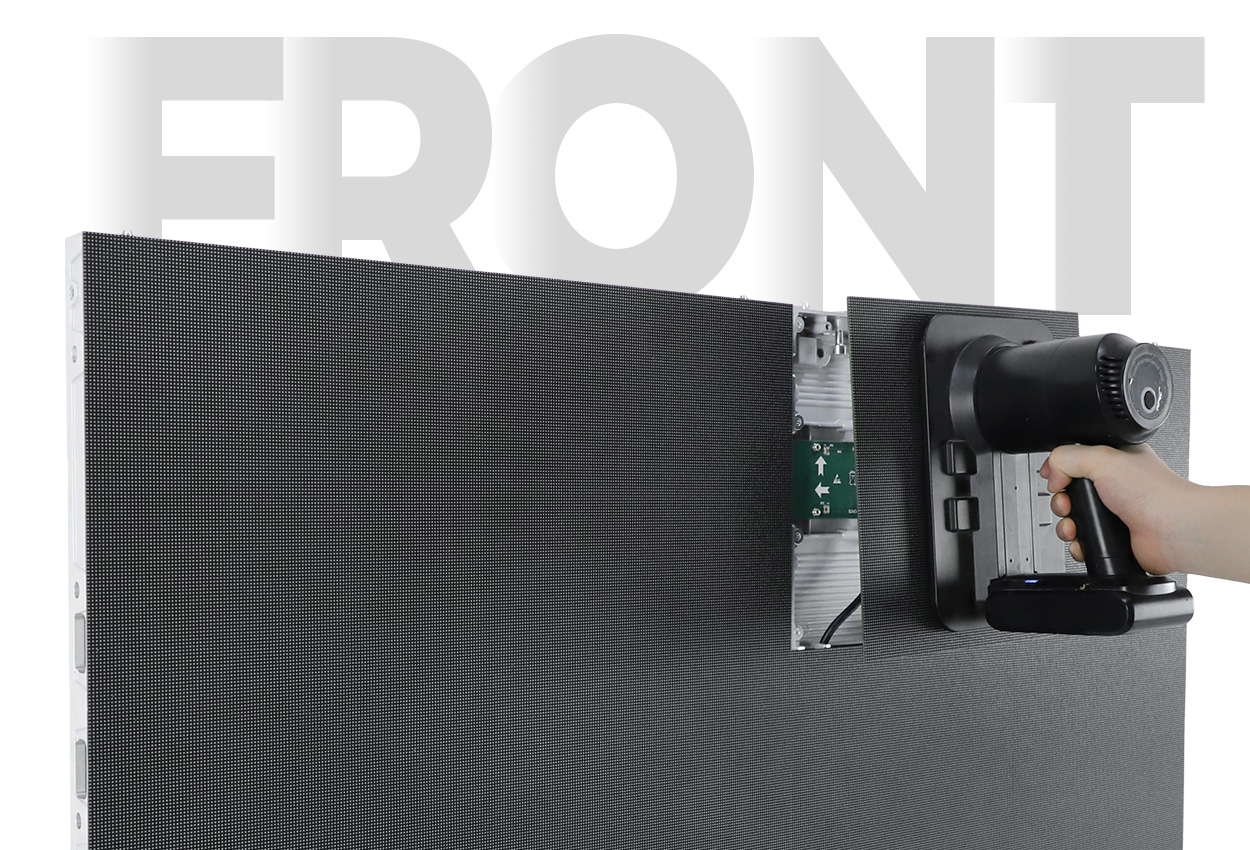
How to fix burn-in on an LED video wall
There are two remedies, and they are often used together.
Re-calibration. A calibration system measures the light from each LED or module and applies correction data so the wall looks even again. According to EagerLED’s LED display calibration guide, conventional fixed-target calibration may reduce brighter emitters to a level the weaker ones can still reach. In plain terms, the less-worn parts of the wall are turned down to match the worn ones. The outline disappears, but the wall gives up some peak brightness, and how much depends on how far the worn area has dropped.
Module replacement. If the worn area is small, replacing the modules beneath it removes the oldest LEDs. The new modules are brighter than their neighbours, so the wall still needs calibration afterwards to match them. Spare modules have list prices. On the EA250WH5, an indoor wall with 250 × 250 mm front-service modules, they cost:
| EA250WH5 pitch | Spare module price | 8 modules (1.0 × 0.5 m logo, aligned) | 15 modules (same logo across module edges) |
|---|---|---|---|
| P3.91 | US$20 | US$160 | US$300 |
| P2.6 | US$28 | US$224 | US$420 |
| P1.95 GOB | US$49 | US$392 | US$735 |
| P1.25 GOB | US$97 | US$776 | US$1,455 |
Reference ex-factory prices from the EagerLED Aug 2026 price list, in USD, for the standard configuration; final pricing is subject to a formal quotation. Prices are for the modules only, without removal, fitting, freight or calibration.
A 1.0 × 0.5 m logo covers eight modules only if its edges fall on module edges; a logo placed across them touches up to fifteen. Calibration labour is quoted per visit. See the LED wall calibration cost guide for what that quote should contain and for spare prices on other models.
If the whole wall has aged evenly and is simply dimmer, there is nothing to fix. Raise the brightness setting if headroom remains, or accept the lower output.
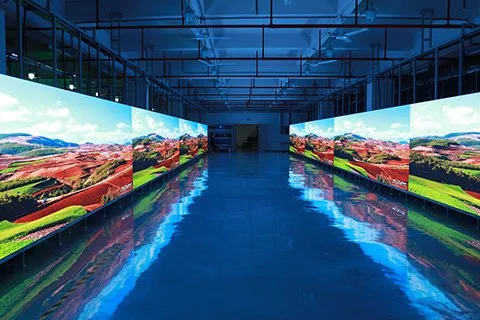
Burn-in testing in LED display factories
In LED display production, “burn-in” also has a second meaning: a test. Factories run modules and finished screens for a set period to catch early failures before shipment, and the industry often calls this ageing or aging. People searching for LED display burn-in sometimes mean this test.
EagerLED’s quality control process runs each LED module through a 24-hour ageing test before cabinet assembly. After assembly, the complete screen is built and run for a 72-hour ageing test before shipment.
A factory burn-in screens out early failures. It does not predict service life. EagerLED’s LED display factory audit checklist says the test duration alone does not predict lifetime, and that the procedure should state the content, electrical load, ambient conditions, duration and inspection intervals. For an order, ask for the ageing records of the units you are buying, including any faults found and the repairs made.
Which display to choose for static content
| Use | Content pattern | Better choice | What to plan |
|---|---|---|---|
| Control room, dashboards | Fixed layouts for long hours | LCD video wall, or fine-pitch LED with layout rotation | Rotating layouts, dark themes, scheduled calibration |
| Lobby or retail brand wall | Video with a permanent logo | LED wall | Move or fade the logo; avoid a fixed white bar |
| Scoreboard or sports ticker | Fixed zones during events | LED wall | Change zone colours between events; calibration plan |
| Menu board or price sign | One layout all day | LED sign or wall | Dark backgrounds; seasonal layout changes |
| Home TV or gaming monitor | Mixed, with fixed game and desktop bars | LCD if static use is heavy; OLED with care | Protection features and warranty terms for burn-in |
OLED is the riskiest choice for commercial signage that shows the same content all day. For bright rooms, large sizes and walls where seams between panels are not acceptable, a direct-view LED wall is the usual choice, provided content rotation and calibration are part of the plan. For a fuller comparison of the two main video wall technologies, see LED vs LCD video wall. For specific sites, see the guides on control room video walls, lobby LED walls and stadium LED displays.
When buying a used LED display, check it on full white and grey screens before paying. Uneven wear from the previous owner’s logos shows up there.
Frequently asked questions
Do LED TVs get burn-in?
Rarely. Most LED TVs are LCD panels with an LED backlight. They can show temporary image retention after a static image, but it normally fades once the content changes. Permanent burn-in is mainly an OLED problem.
Can an LED video wall burn in?
Not in the OLED sense, but static content can age part of the wall faster than the rest. After months of a fixed logo or ticker, its outline can appear on plain white or grey screens. Re-calibration or replacing the modules under it fixes the problem.
Is LED screen burn-in permanent?
On an LED wall, yes: worn LEDs do not recover. The difference can be hidden by calibration or removed by replacing modules. LCD image retention is usually temporary, while OLED burn-in is permanent.
How do I check a screen for burn-in?
Show full-screen mid grey, white, red, green and blue one at a time. A ghost that matches content shown for a long time is burn-in or retention. Square patches along module edges on an LED wall are usually a batch or calibration issue instead.
How much does it cost to fix burn-in on an LED wall?
The parts for a 1.0 × 0.5 m logo area on an EA250WH5 indoor wall cost about US$160–US$1,455, depending on pitch and how the logo sits across module edges. Calibration labour is quoted separately.
What is a burn-in test for LED displays?
It is a factory test, also called ageing, that runs modules and finished screens for a set time to catch early failures. EagerLED runs modules for 24 hours before assembly and complete screens for 72 hours before shipment.
Do LED screens need a screen saver?
Not a classic screen saver, but they need the same idea: no element should stay in one place at full brightness for months. Move logos, use dark backgrounds for static text and schedule the wall off when nobody is watching.
Check the details
Sources & references
Source pages can change. Access dates record when they were consulted.
- OLED vs LED guide Accessed 6 November 2026
- LCD vs LED displays Accessed 6 November 2026
- LED packaging guide Accessed 6 November 2026
- LED display calibration Accessed 6 November 2026
- EA250WH5 specifications Accessed 6 November 2026
- EagerLED quality control Accessed 6 November 2026
- LED display factory audit checklist Accessed 6 November 2026
Put these details into your project brief.
Tell EagerLED the application, destination and screen dimensions you have in mind.
Request a project quote