
EA1000TiF2 is a fixed indoor transparent LED screen intended for retail windows, glass walls, showrooms and commercial interiors. EagerLED offers 1000 × 1000 mm and 1000 × 500 mm cabinet formats, specifies 60% transparency and describes an openable rear cover for maintenance from behind the display. Its published visual specifications include brightness up to 5000 cd/m², a 140° viewing angle and a refresh rate of at least 3840 Hz. Official product overview
For a window-display project, the first purchasing decision is the relationship between the screen area, the view through the glass and the space available behind the cabinets. Record those three elements together. A drawing that shows only the front elevation leaves the service arrangement and the usable interior space unspecified, even if the visible screen size has already been agreed.
Two cabinet formats with different attribution needs
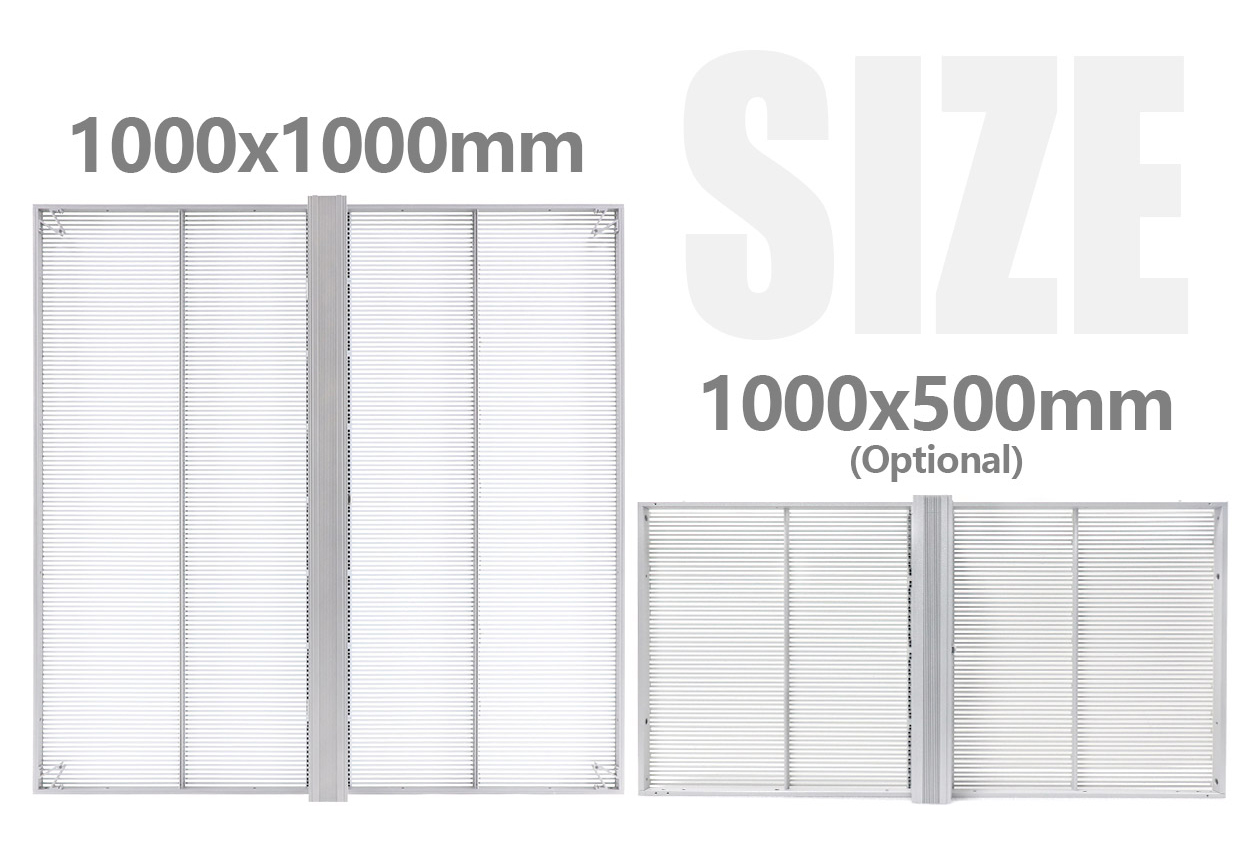
The manufacturer lists two cabinet options: 1000 × 1000 mm and 1000 × 500 mm. It explicitly assigns the 6.7 kg weight to the 1000 × 1000 mm aluminum cabinet. The visible description does not assign that same weight to the smaller format, so it should not be copied into every line of a cabinet schedule. Cabinet sizes and weight
| Product detail | Documented information | Purchasing interpretation |
|---|---|---|
| Cabinet formats | 1000 × 1000 mm and 1000 × 500 mm | State quantities by format |
| Larger cabinet weight | 6.7 kg for 1000 × 1000 mm | Do not apply it to an unspecified cabinet |
| Transparency | 60% | Review the intended view through the installation |
| Brightness | Up to 5000 cd/m² | Retain “up to” and identify the quoted configuration |
| Viewing and refresh | 140°; at least 3840 Hz | Preserve the published angle and minimum refresh wording |
| Service and environment | Rear access; IP33 indoor design | Include rear access in the installation brief |
All manufacturer values in the table refer to the EA1000TiF2 page. Product specifications
Choose a provisional cabinet arrangement before requesting a final price. Mark the available width and height of the installation, any divisions in the glazing and the screen boundaries that matter to the design. Ask the supplier to show the selected formats on the same drawing rather than leaving the cabinet mix implicit in a total square-meter figure.
Transparency and content for indoor glass
EA1000TiF2 is designed to retain a view through the installation while displaying digital content. Its 60% transparency is presented for indoor glass applications including retail windows, glass partitions and commercial interiors. The source pairs that transparent structure with brightness up to 5000 cd/m². Glass-installation scope
Prepare sample content around what the site intends to communicate: a product image, an event message, a logo or a combination of these. Include the smallest text the owner expects visitors to read. Then define the viewing positions and conditions for a demonstration. This approach gives the owner and supplier the same material to discuss instead of relying on unrelated promotional examples.
Keep transparency and the preferred visual result as separate entries in the acceptance brief. The published percentage is a product specification; the chosen content, viewing position and surrounding scene are project decisions. Request a demonstration of that combination before settling on the configuration. Where pixel-pitch choices are being proposed, our viewing-distance guide can help organize the review without assigning an unsupported pitch to this page.
Plan rear service before fixing the layout
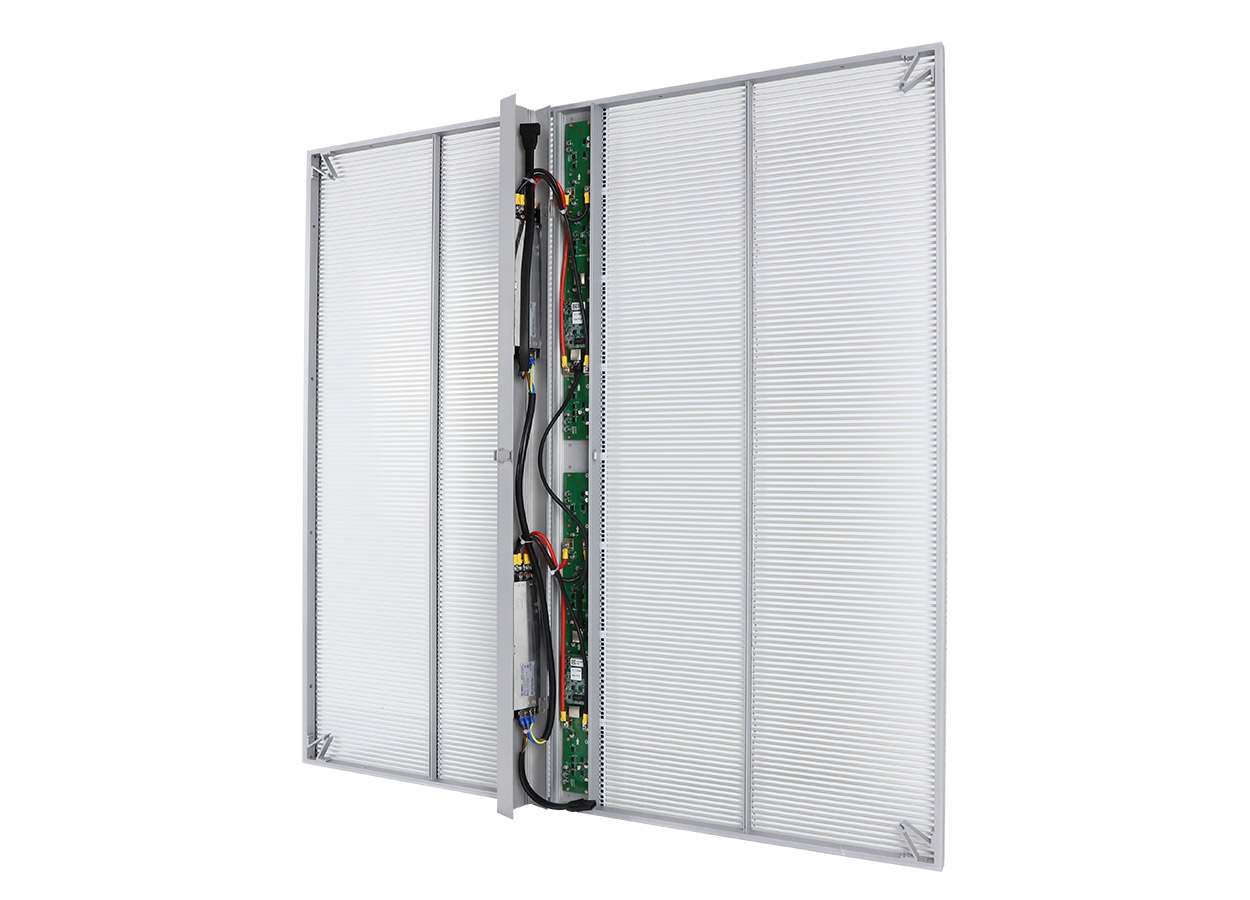
The official page describes an openable rear cover that gives access to the cabinet interior. Maintenance is planned from behind the screen. That is a central installation distinction for EA1000TiF2, particularly when the display is positioned close to an interior finish, a glass partition or a window opening. Rear-access maintenance
Show the service side on the installation drawing and ask the supplier to specify the working access it needs. Do not invent a clearance distance from the cabinet image. The useful deliverable is a documented access arrangement for the actual cabinet position, including how an operator reaches the area and which nearby fittings must remain removable.
Request the service sequence as part of the handover. It should identify the components the local team is expected to inspect, the work reserved for trained service personnel, the required tools and the parts schedule for the ordered configuration. A demonstration of the rear-cover arrangement is more useful than a general statement that the display is easy to maintain.
Indoor environment, power and support scope
EA1000TiF2’s aluminum cabinet is specified for fixed indoor use with IP33 protection. The source publishes an operating temperature range of −20°C to +60°C, average power consumption of 220 W/m² and maximum power consumption of 800 W/m². Average and maximum are distinct figures; neither should be relabelled as the other in the project brief. Indoor operating specifications
Ask the project supplier to provide the complete electrical and installation requirements for the proposed screen. Keep those requirements alongside the cabinet schedule so the installer is reviewing the same equipment configuration as the purchasing team. The figures above describe the manufacturer’s product information; they do not define every component or connection in an unspecified complete system.
Similarly, use the published cabinet weight only within its stated format. Request the installed assembly details separately, including the supporting structure and any additional equipment. This avoids presenting a cabinet-only number as the complete installed load. The quotation should make clear which installation items are included and which remain within the owner’s or contractor’s scope.
A useful fixed-installation enquiry
The following table is editorial purchasing advice. It organizes the questions that remain after the model’s documented features have been understood.
| Decision | Detail to provide or request |
|---|---|
| Glass area | Give the usable width, height, divisions and desired display boundaries |
| Cabinet layout | Request a drawing distinguishing the two cabinet formats |
| Service arrangement | Identify the rear-access route and ask for the required working space |
| Visual review | Supply real content and agree where the demonstration will be viewed |
| Installation scope | Separate cabinets, control equipment, support work, wiring and commissioning |
| Handover | Request operating instructions, the service procedure and a configuration-specific spares list |
Record changes to the brief as the project develops. If the cabinet format, screen area or service arrangement changes, ask for an updated drawing and itemized proposal. Use the quote comparison checklist to compare equivalent scopes, or send the current brief through the project enquiry form. There is no need to assume a unit price before those choices have been defined.
EA1000TiF2 questions
Is this a fixed indoor or outdoor display?
The official page identifies EA1000TiF2 as fixed indoor equipment and specifies IP33. Do not transfer an outdoor rating from a similarly named transparent-screen model. Indoor scope
Does every cabinet weigh 6.7 kg?
The visible source explicitly gives 6.7 kg for the 1000 × 1000 mm cabinet. It also offers 1000 × 500 mm cabinets, but that does not justify assigning them the same weight. Format-specific weight
Can the screen be serviced entirely from the front?
The documented arrangement is rear access through an openable rear cover. Base the project layout on that published method unless a different arrangement is specifically confirmed for the order. Service design
What should be settled before requesting a final quote?
Prepare the display dimensions, cabinet layout, viewing brief, rear-access arrangement and installation responsibilities. Then request the control, electrical, service and commercial details for that configuration. This keeps the enquiry tied to a buildable project instead of an isolated screen-area estimate.
CHECK THE DETAILS
Sources & references
Source pages can change. Access dates record when they were consulted.
- EA1000TiF2 official product page Accessed 23 September 2026
Discuss EA1000TiF2 for your project.
Share the application, destination and screen dimensions to request a configuration and written quotation.
Request a project quote