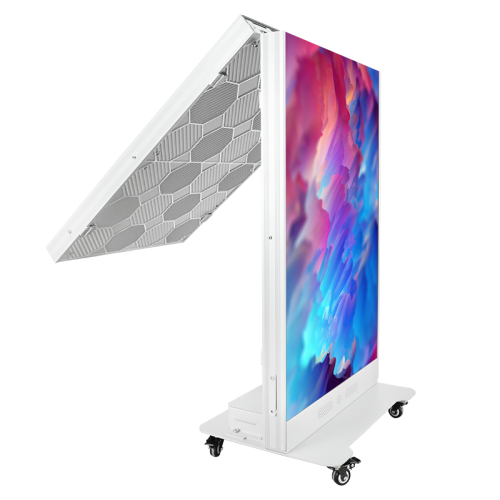
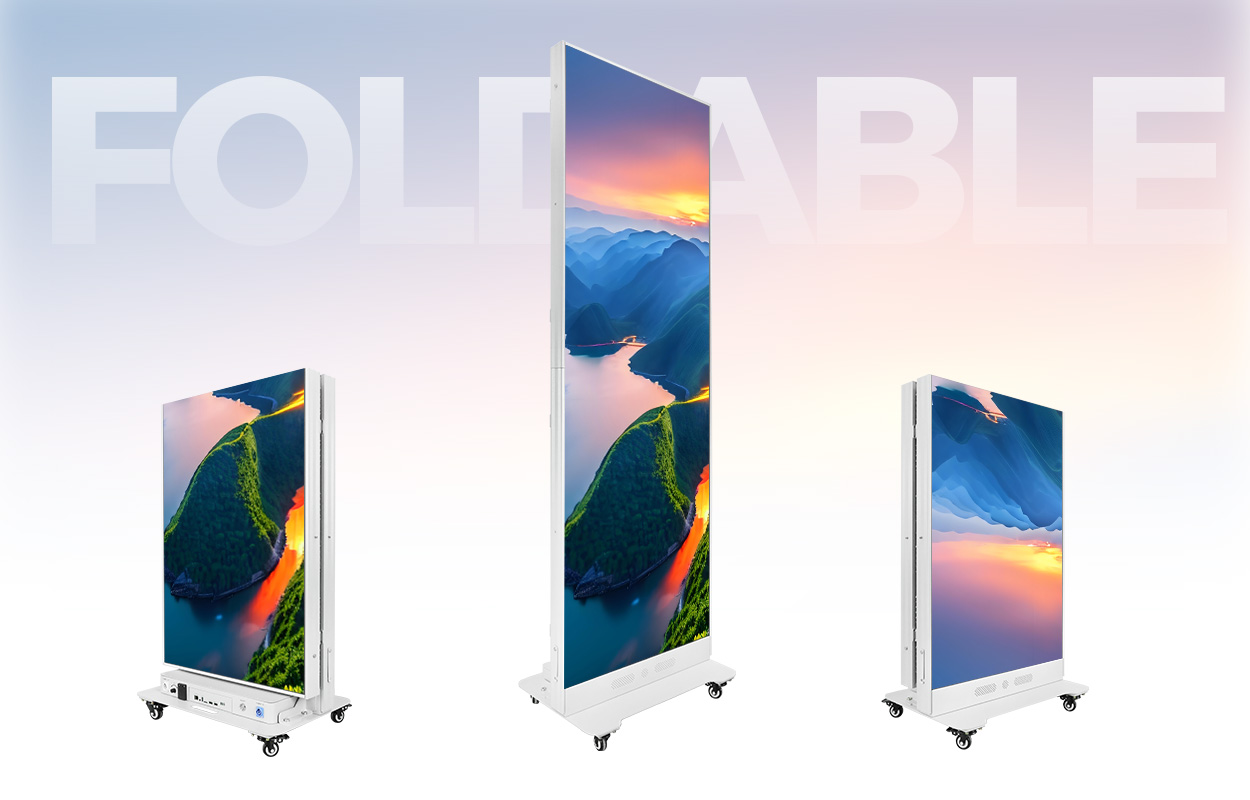
The EA1920iP5 is an indoor LED poster for retail displays, hotel spaces, showrooms and events. EagerLED specifies a 640 × 1920 mm display, a dual-sided folding frame, four casters and front access to the LED modules. Individual sides can show separate content, while several units can join into a wider display. Those arrangements deserve separate attention in a purchase brief: an independent poster and a joined display need different content layouts and operating instructions. EA1920iP5 overview
Start with the position where you want to use it and a sample of the material you intend to show. Then choose the module configuration and ask for a demonstration of that exact version. A quotation that names only “EA1920iP5” leaves several published variants unresolved.
Choose the exact pixel pitch and module technology
EagerLED publishes five SMD configurations and three flip-chip COB configurations for the EA1920iP5. The SMD table covers P1.25, P1.53, P1.86, P2 and P2.5; the COB table covers P1.25, P1.53 and P1.86. The page also describes GOB module options. Ask the supplier to name the offered module construction explicitly, including any GOB treatment, instead of treating a pixel-pitch label as a complete specification. EA1920iP5 configurations
The following values come from the two model-specific tables. Power is stated per set on this source page. The average figures are published product data; they are not a forecast of the electricity your particular playlist will consume.
| Published configuration | Brightness | Maximum power per set | Average power per set |
|---|---|---|---|
| SMD P1.25 | 600 cd/m² | 360 W | 120 W |
| SMD P1.53 | 600 cd/m² | 360 W | 120 W |
| SMD P1.86 | 600 cd/m² | 400 W | 135 W |
| SMD P2 | 700 cd/m² | 360 W | 120 W |
| SMD P2.5 | 800 cd/m² | 360 W | 120 W |
| Flip-chip COB P1.25 | 600 cd/m² | 360 W | 120 W |
| Flip-chip COB P1.53 | 600 cd/m² | 340 W | 115 W |
| Flip-chip COB P1.86 | 600 cd/m² | 280 W | 95 W |
The tables list a refresh frequency of at least 3,840 Hz across these configurations. They also list 320 × 160 mm modules, a 140° viewing angle and IP31 protection. These are indoor model specifications. Do not extend them to an outdoor installation or infer a different environmental rating from an image of a protected module. EA1920iP5 specs
For the visual test, supply your own product labels, small text and moving footage. Mark the viewing positions that matter to your project and compare the quoted configurations there. Our pixel-pitch guide provides a method for that assessment. If you are considering different module constructions, use the COB and SMD guide to frame the questions, then return to the exact EA1920iP5 specification.
Plan the folding and transport routine
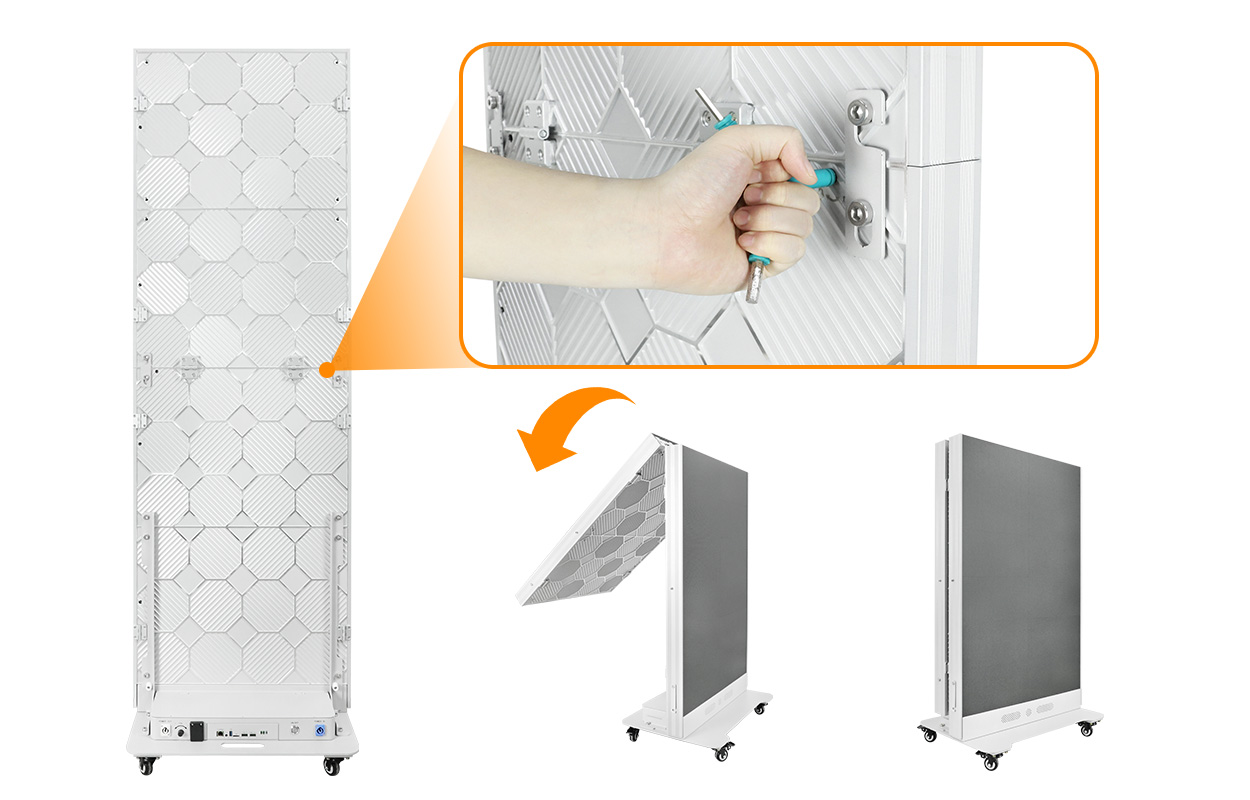
The official page describes a dual-sided folding design and a reduction in storage volume of up to 50%. It lists a display weight of 55 kg and describes packing the folded unit into a dedicated flight case. Four integrated casters form part of the display arrangement. EA1920iP5 folding design
Use that information to request a packing drawing for your order. Ask for the open operating dimensions, the folded dimensions and the external case dimensions. Keep display weight and packed shipping weight as separate entries. The published storage-volume statement does not supply a freight quotation, a case weight or a measured handling time.
Arrange a demonstration of the complete routine: opening the case, positioning the display, setting the folding mechanism, closing it again and securing it for storage. Have the supplier explain the intended handling procedure for your staff and venue. A description of single-operator packing should not become an improvised lifting instruction.
For a display that moves between rooms, include the storage location and the proposed route in your brief. Send photographs or drawings of the relevant doors and floor transitions. Ask the supplier to review that route with the chosen case and stand arrangement before you order.
Allow for front service in the actual position
EagerLED states that technicians remove and replace the EA1920iP5’s 320 × 160 mm LED modules from the front. The product description presents this arrangement for positions close to a wall or within a narrow retail area. EA1920iP5 module access
Show the supplier the proposed position with surrounding furniture included. Request a service demonstration in a comparable arrangement and ask where the technician, removal tool and replacement module need to go. The phrase “front service” identifies an access method; your project still needs a workable maintenance procedure.
Specify the spare modules by the exact pitch and module construction in the order. Ask the supplier to identify the service tools, replacement procedure and support contact supplied with the display. If the sales proposal includes several module choices, settle the choice before accepting a spare-parts list. Keep that list with the final model specification for the person who will maintain the screen.
Define playback before choosing the control package
The EA1920iP5 page lists USB 3.0, HDMI, Wi-Fi, Ethernet and a SIM card slot. It describes built-in speakers, cloud-based content updates and publishing from phones, tablets and computers. It also describes independent content on the two sides and joining units through a quick-lock frame. EA1920iP5 playback
Write the operating task in ordinary language before discussing accessories. For example, a store may want staff to replace a promotional loop locally, while an event team may want an external device to provide the picture. Ask the supplier to demonstrate your chosen task on the quoted control configuration. The connector list alone does not establish which software, network service or account is included in the sale.
| Intended operation | Detail to settle in the quotation |
|---|---|
| Update a standalone poster locally | Accepted media files, upload steps and the responsible staff member |
| Show different material on each side | How each side is addressed and how its playlist is checked |
| Feed content from an external device | Required connection, signal settings and included cabling |
| Update several locations remotely | Controller, account access, network arrangements and any recurring charges |
| Join posters into a larger image | Unit count, layout, canvas mapping and the joining hardware supplied |
Include audio in the demonstration if you intend to use it. Ask the supplier to play your sample video and show the volume controls. For a shared venue, agree who can change content and settings and how another staff member takes over those tasks. These are acceptance requirements you can write into the order without assuming undocumented software functions.
Request a complete delivery scope
A useful quotation identifies the exact EA1920iP5 configuration and separates the display from its surrounding supply scope. Ask the supplier to itemize the case, control hardware, cables, joining accessories and spare modules, indicating what is included. Add delivery terms and installation or training services where your project needs them.
Use the same list when reviewing the delivered equipment. Check the model and module technology against the order, run the agreed content, and have the supplier demonstrate folding and module access. Record any unresolved items before signing off the handover. The quote comparison guide offers a format for keeping the specification and exclusions together.
No price or delivery promise is assumed here. Send the required quantity, destination and operating arrangement when you request a quote, so the response can address a defined package.
EA1920iP5 questions
Is the EA1920iP5 an outdoor poster?
The official page identifies it as an indoor product, and both specification tables list IP31. Use those limits in your project brief. A GOB module option is not evidence that the complete display has an outdoor rating. EA1920iP5 protection
Does every version have the same brightness?
No. The SMD table lists 600 cd/m² for P1.25, P1.53 and P1.86, 700 cd/m² for P2, and 800 cd/m² for P2.5. All three listed COB configurations are 600 cd/m². Match the value to the quoted configuration. EA1920iP5 brightness
Can several units show one larger picture?
EagerLED describes joining EA1920iP5 units using a quick-lock frame. Ask for the proposed layout, controller mapping and included joining hardware, and include a joined-screen demonstration in acceptance. EA1920iP5 splicing
Are the flight case and cloud service included?
The page describes flight-case packing and cloud content management, but that description does not settle the supply scope of your order. Ask for the case, control package and any service charges to appear explicitly in the quotation.
CHECK THE DETAILS
Sources & references
Source pages can change. Access dates record when they were consulted.
- EA1920iP5 specs Accessed 23 September 2026
Discuss EA1920iP5 for your project.
Share the application, destination and screen dimensions to request a configuration and written quotation.
Request a project quote