Quick answer
Moiré on an LED video wall is a wavy, rippling pattern that appears in camera footage when the camera’s sensor grid interferes with the wall’s grid of pixels. It is not visible to the eye in the room, and it depends on the pitch, the camera’s distance and angle to the wall, the lens and the focus. You reduce it by putting the wall slightly out of focus, changing the distance or focal length, angling the camera a little, or choosing a finer pitch or a COB surface. A finer pitch costs more: an EA500C6 rental cabinet costs US$1,020 per m² at P2.6 GOB and US$1,544 per m² at P1.56 GOB.
Sources used: EagerLED indoor screen guide; COB LED Screen EA600COB3 | P0.62–P1.87 16:9 Indoor Wall; EA500C6 Rental LED Display | 500×500 mm | EagerLED
Because it depends on the exact camera and shot, the only reliable check is a test with your own camera, lenses and shot list before you accept the wall.
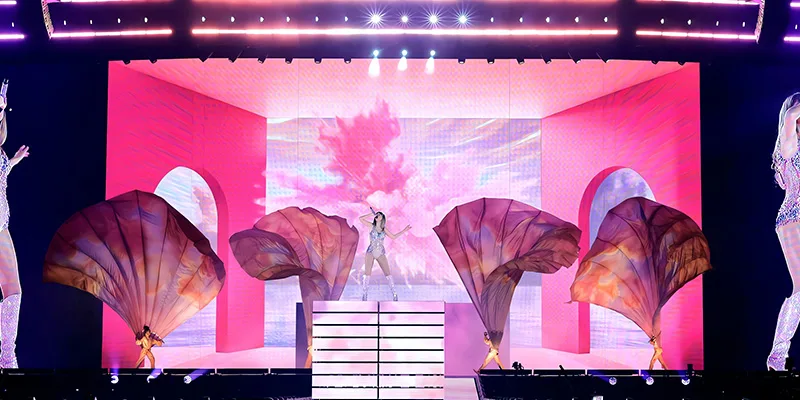
What causes moiré on an LED wall
An LED wall is a regular grid of light points with dark gaps between them; a camera sensor is another regular grid of photosites. When the image of the LED grid on the sensor is close to the sensor’s own spacing, the two grids interfere and produce a large, slowly changing pattern, like two window screens laid over each other. The pattern changes as the camera moves, zooms or refocuses.
Moiré is more likely when:
- the wall is in sharp focus, so the pixel grid reaches the sensor crisply;
- the camera is square-on to the wall;
- the pitch is coarse for the camera’s distance and focal length;
- the camera has a sensor and lens combination that resolves very fine detail.
It is different from scan lines and flicker, which come from the wall’s refresh and scan rate interacting with the camera’s shutter. Both can appear together, so test for each. Refresh is covered in LED refresh rate and price.
Fixes that work on set
| Change | Why it helps | Trade-off |
|---|---|---|
| Soften focus on the wall | The pixel grid blurs before reaching the sensor | The background is less sharp |
| Move the camera closer to the actors and further from the wall | Increases depth-of-field separation | Changes framing |
| Change focal length or distance slightly | Moves the grid spacing away from the sensor’s | Changes the shot |
| Angle the camera a few degrees off square | Breaks the alignment of the two grids | Slight perspective change |
| Choose a finer pitch | The grid is finer than the camera can resolve | Higher price per m² |
| Choose a COB or matte surface | Less contrast between pixels and gaps | Higher price at some pitches |
Agree with the camera team which of these the production can accept: a remedy that makes the background unusable is not a fix.
Pitch, surface and what it costs
A finer pitch makes moiré less likely at a given distance, because the pixel grid becomes too fine for the camera to resolve. In rental cabinets, the EA500C6 costs US$255 per cabinet at P2.6 GOB (US$1,020 per m²), US$324 at P1.95 GOB (US$1,296 per m²) and US$386 at P1.56 GOB (US$1,544 per m²). In fixed studio walls, the EA600COB3 COB cabinet costs US$1,366 per m² at P1.87 and US$1,747 at P1.25, and EagerLED describes its encapsulated COB surface as producing less glare and fewer moiré artefacts on camera.
Reference ex-factory prices from the EagerLED Aug 2026 price list, in USD, for the standard configuration; final pricing is subject to a formal quotation. For more on surfaces, see COB vs SMD LED; for choosing pitch for a filmed wall, virtual production LED wall planning.
The EA500C6 guidance also notes that refresh rate alone does not guarantee band-free footage, because scan configuration and camera settings affect the result. Neither a fine pitch nor a high refresh figure is a guarantee; the test is.
Start with the planned shots
List the subject and camera positions, framing, lenses and the focus each shot needs, including static and moving shots. Tell the supplier which parts of the composition are fixed by the venue or the production. EagerLED’s indoor screen guide discusses matching the display to its application; the test below is buyer advice, not a claim that any pitch or setting guarantees a pattern-free recording.
Record the wall, lens and camera composition
| Test detail | What to record |
|---|---|
| Wall | Model, pitch, brightness and processor settings |
| Camera | Body, sensor mode, lens, focal length, position and recording format |
| Shutter | Shutter speed or angle and frame rate |
| Subject | Position and focus distance |
| Background | The actual content at the planned brightness |
| Adjustment | One change at a time between clips |
| Decision | Original clips and the camera team’s notes |
Ask for the intended wall configuration. If only a small sample is available, record the limits of that test and list the shots that need a full-wall test later.
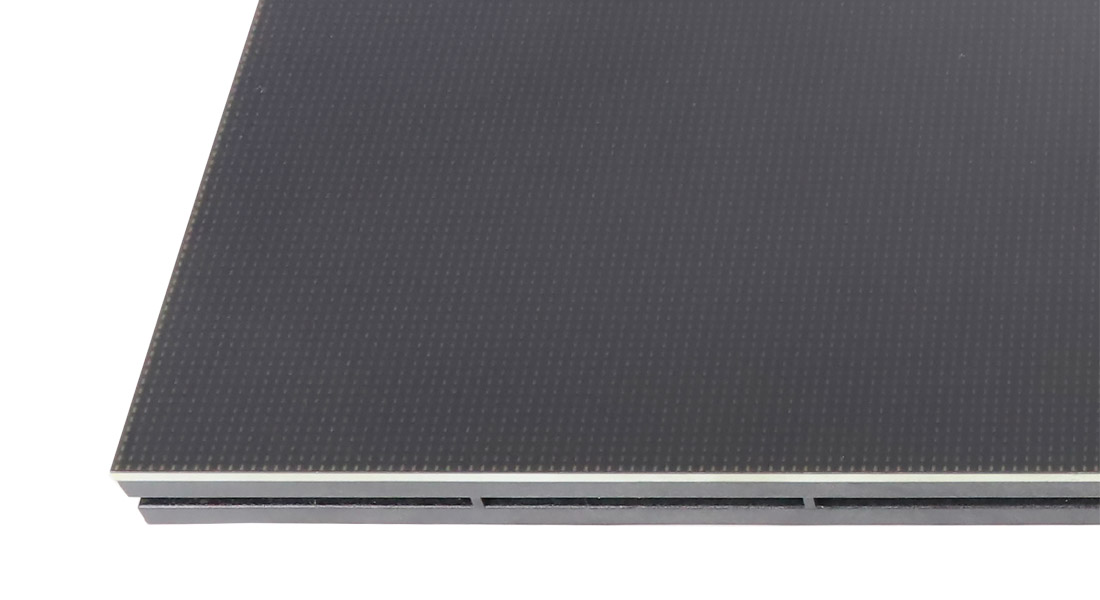
Evaluate the footage and any fixes
Review the original footage at the delivery format on a calibrated monitor, not on the camera’s small screen. Mark shots with distracting patterns and record their settings. If the supplier proposes a change to position, framing or focus, ask the production team whether it is acceptable for the job. Keep the initial and adjusted clips with their settings, and judge the result against the written shot requirement.
Define the scope of approval
Have the camera team list the shots included in acceptance, and record any shots not tested and any restrictions that remain. If a different cabinet, pitch, lens or recording format is proposed later, repeat the test. Keep approval specific to the tested arrangement rather than promising that a successful sample covers every camera and position.
Moiré test checklist
- Bring the shot list, lenses and real background content.
- Record wall, camera, shutter, subject and lens settings for every clip.
- Change one thing at a time and keep the original clips.
- Compare clips at the delivery format on a proper monitor.
- Test scan lines and flicker as well as moiré.
- List the approved shots and any restrictions.
Frequently asked questions
What is moiré on an LED screen?
A rippling pattern in camera footage caused by interference between the camera sensor’s grid and the LED wall’s pixel grid. People in the room do not see it.
How do you get rid of moiré when filming an LED wall?
Soften focus on the wall, change the camera’s distance or focal length, angle the camera slightly, or use a finer pitch or COB surface. Test each change with your own camera.
Does a finer pixel pitch stop moiré?
It makes moiré less likely at a given distance, but does not guarantee it is gone. Test the pitch with your camera, lens and closest shot.
Is moiré the same as flicker or scan lines?
No. Moiré comes from grid interference; flicker and scan lines come from the wall’s refresh and scan rate interacting with the camera’s shutter.
Does COB reduce moiré?
EagerLED describes its COB surface as producing less glare and fewer moiré artefacts on camera, because the pixels and gaps have less contrast. A test is still needed.
Send your camera package, lenses and shot list to request a quote for a test.
Check the details
Sources & references
Source pages can change. Access dates record when they were consulted.
- EagerLED indoor screen guide Accessed 29 October 2026
- COB LED Screen EA600COB3 | P0.62–P1.87 16:9 Indoor Wall Accessed 29 October 2026
- EA500C6 Rental LED Display | 500×500 mm | EagerLED Accessed 29 October 2026
Put these details into your project brief.
Tell EagerLED the application, destination and screen dimensions you have in mind.
Request a project quote