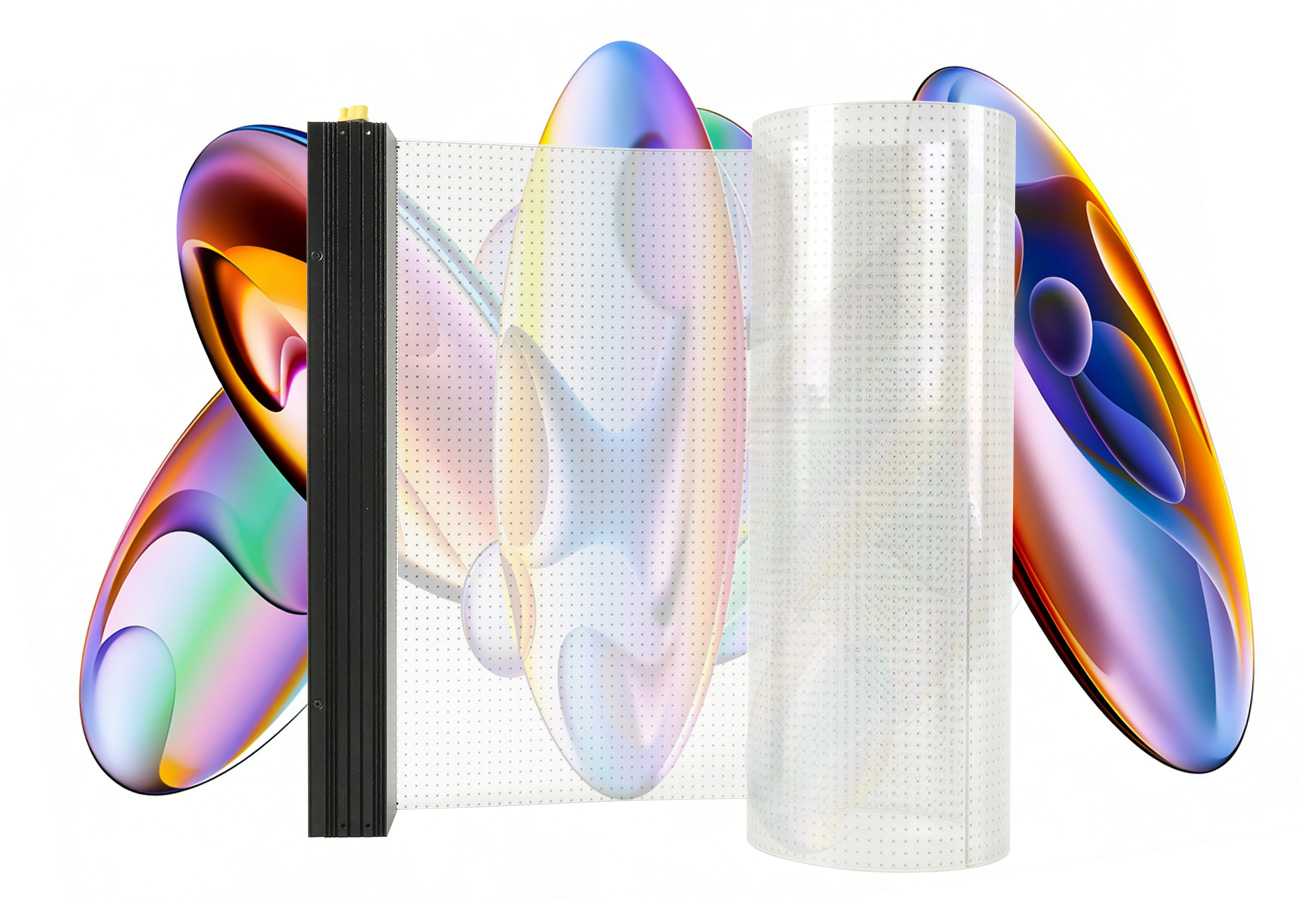
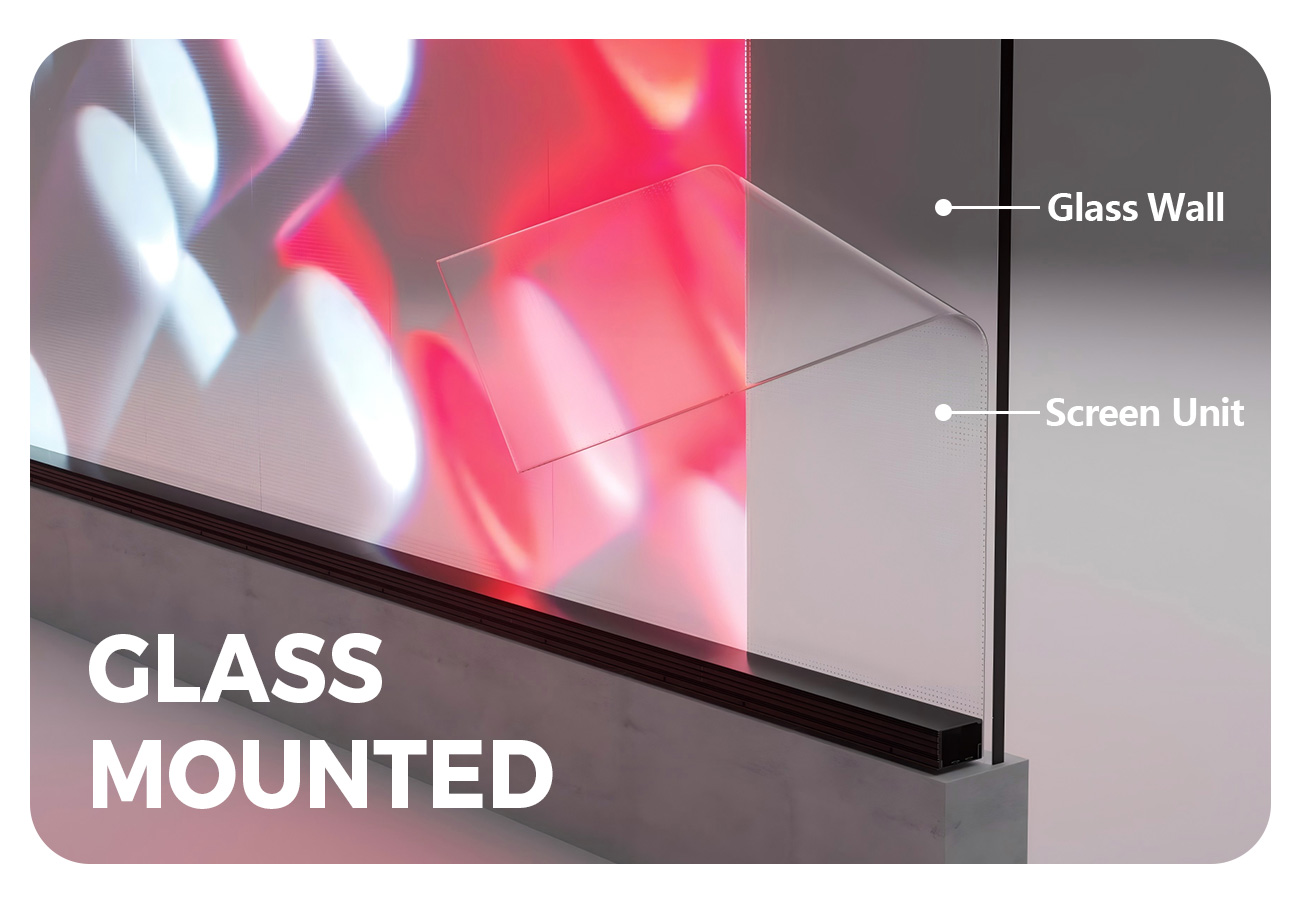
EA-iFilm2 is an indoor flexible LED film designed for glass curtain walls, windows, storefront glazing and glass railings. EagerLED describes a self-adhesive film that can be attached directly to glass without a steel support structure, with an approximately 2 mm profile and flexibility for curved installations. The official variant table lists transparency from 90% to 95%, depending on pixel pitch. Official product information
The configuration matters more than the headline description alone. This family includes different module dimensions and listed weights, so an enquiry should identify a complete variant rather than simply requesting “95% transparent film.” Begin with the glass layout, intended content and viewing positions, then ask for a named pitch and module arrangement that addresses that brief.
Compare the six documented variants
The table below retains the columns of the manufacturer’s visible specification table. “Listed weight” follows its weight row; it is not a complete installed-system weight. P4 and P5 use the smaller listed module format, while the remaining variants use the larger format. Visible variant specifications
| EA-iFilm2 variant | Module size | Listed weight | Transparency |
|---|---|---|---|
| P4 | 1000 × 240 mm | 1 kg | 90% |
| P5 | 1000 × 240 mm | 1 kg | 91% |
| P6.25 | 1000 × 400 mm | 1.3 kg | 92% |
| P8 | 1000 × 400 mm | 1.3 kg | 92% |
| P10 | 1000 × 400 mm | 1.3 kg | 94% |
| P20 | 1000 × 400 mm | 1.3 kg | 95% |
The model identifiers in the source follow the EA-iFilm2-P4 through EA-iFilm2-P20 pattern. Keep the chosen pitch, module size and transparency on the same quotation line. The page’s introductory “about 1 kg” description should not replace the variant table’s 1.3 kg entries. Variant attribution
For a purchasing review, request a proposed module arrangement for the actual glazing. Check which option is being demonstrated and compare it with the written proposal. If more than one pitch is under consideration, label each sample and keep its dimensions and transparency beside the sample notes. This avoids evaluating one variant while inadvertently ordering another.
Plan glass coverage and curved surfaces
EA-iFilm2 uses a flexible film material and is described as suitable for curved installations. Its mounting method is self-adhesive attachment directly to glass, without the conventional steel support structure described for some other display formats. The source’s application examples include curtain walls, glass railings, windows and shop windows. Mounting and applications
Provide a drawing of the actual glass surface, including the intended display boundaries and any curved portions. Ask the supplier to approve the proposed module arrangement and installation method for that surface. A statement that film is flexible does not, by itself, give a minimum bend radius or approve every curve. Keep any required curvature confirmation specific to the ordered configuration.
Also request the location of associated power and control equipment and the connection arrangement between display sections. “No steel support structure” describes the published mounting approach; it does not mean the complete installation has no other equipment or preparation requirements. Agree the division of work between the supplier, installer and building team before finalizing the installation scope.
Transparency, brightness and content review
The visible specification table lists 2,000 cd/m² brightness, a 160° viewing angle and 16-bit grayscale for all six variants. It gives a refresh frequency of at least 3,840 Hz. Transparency differs by pitch, as shown above, rather than being a single 95% value for every option. Display characteristics
Use the owner’s actual content for evaluation. Include the intended logo, the smallest required text and typical animation or video. Identify where people will view the glass and what they should still be able to see behind the installation. This creates a useful visual brief without turning a manufacturer’s promotional image into evidence that the same result is guaranteed at another site.
Agree how the demonstration will be assessed before selecting the final pitch. Our viewing-distance guide can help organize the content and viewing positions. Keep the selected variant visible in the demonstration record so transparency, module dimensions and the approved sample remain connected throughout purchasing and installation.
Indoor operating and maintenance scope
The manufacturer’s visible table specifies IP30, a working temperature range of −20°C to +55°C and operation power of AC 100–240 V at 50–60 Hz. It separately lists maximum power consumption of 600 W/m² and average power consumption of 200 W/m² across the shown variants. These are different labelled values, not interchangeable allowances. Operating specifications
Request the electrical and equipment schedule for the complete proposed display. Retain the source’s average and maximum labels in the project documents, and ask the responsible installer to identify the required supply arrangement for the system being quoted. Avoid presenting the film’s published figures as a complete specification for all additional equipment.
Maintenance deserves a separate discussion because the glass is part of the installation. Ask for the approved inspection, cleaning and replacement procedures, the service tools and the spare-module schedule for the chosen variant. The product page establishes self-adhesive mounting, but it does not provide a complete site-specific removal procedure. Include the supplier’s procedure in the handover rather than filling that gap with an assumption.
Turn the film selection into an order brief
This checklist separates product selection from the additional decisions needed for a complete project. It is purchasing advice, not a list of standard inclusions.
| Project item | Recommended information |
|---|---|
| Exact variant | State the EA-iFilm2 pitch and the matching module dimensions |
| Glass surface | Provide pane dimensions, installation boundaries and any curvature |
| Visual demonstration | Identify the sample variant, actual content and viewing positions |
| Equipment layout | Request positions and scope for associated power and control equipment |
| Service handover | Request inspection, cleaning, replacement and spare-parts instructions |
| Quote scope | Separate display modules, associated equipment, installation and delivery |
Keep revisions explicit. If a proposed pitch changes, revisit its module format and transparency instead of updating only the model suffix. When comparing quotations, check that both use the same glass coverage and equipment scope. The quote comparison checklist provides a practical record of these differences; the project quote form can be used to submit the finished brief.
EA-iFilm2 questions
Which variant has 95% transparency?
The visible table assigns 95% to P20. It lists 90% for P4, 91% for P5, 92% for P6.25 and P8, and 94% for P10. Keep the figure tied to its exact variant. Transparency table
Does every module use the same dimensions and weight?
No. P4 and P5 are listed at 1000 × 240 mm and 1 kg. P6.25, P8, P10 and P20 are listed at 1000 × 400 mm and 1.3 kg. Module table
Can EA-iFilm2 be used on curved glass?
The manufacturer describes the film as flexible and suitable for curved installations. Ask for confirmation of the actual glass geometry; the visible description does not establish a universal bend radius. Flexible construction
Is the published power figure an average or a maximum?
Both are provided separately: 200 W/m² average and 600 W/m² maximum. Preserve those labels and request a complete electrical schedule for the proposed installation. Power specifications
CHECK THE DETAILS
Sources & references
Source pages can change. Access dates record when they were consulted.
- EA-iFilm2 official page and visible variant table Accessed 23 September 2026
Discuss EA-iFilm2 for your project.
Share the application, destination and screen dimensions to request a configuration and written quotation.
Request a project quote