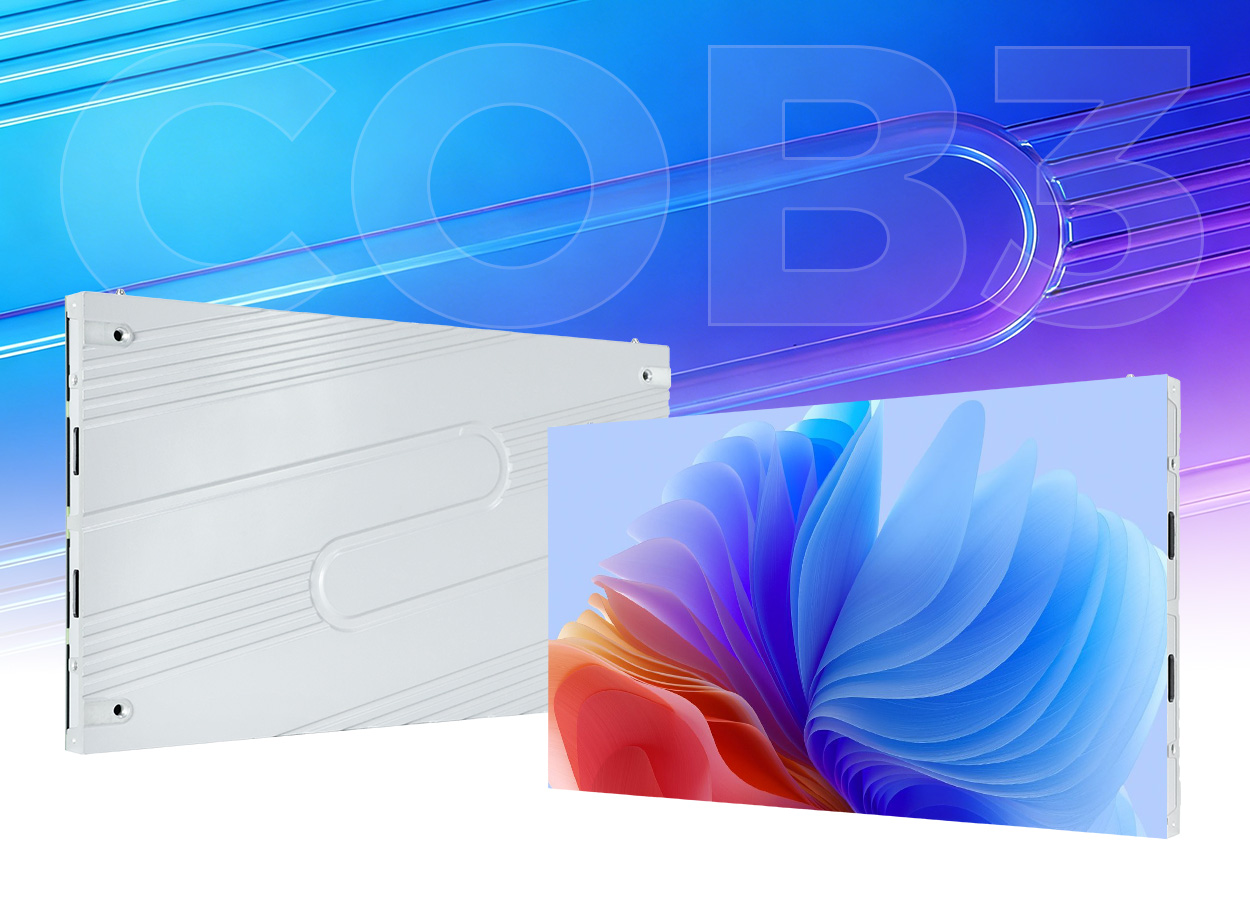
A shallow cabinet for a detailed indoor image
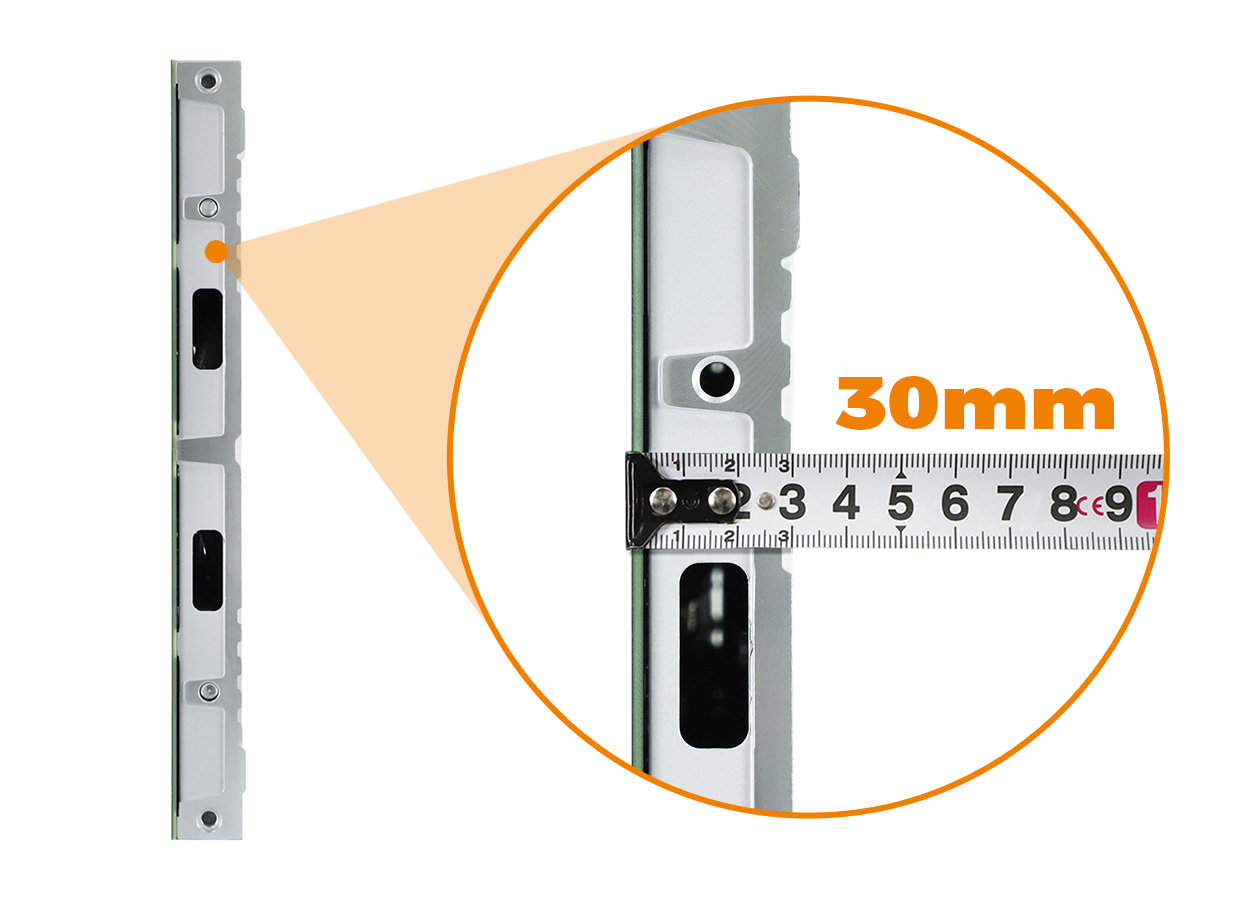
The EA600COB3 is an indoor COB LED wall built around a 600 × 337.5 mm cabinet. Each cabinet has a 16:9 shape, a listed depth of 30 mm and a listed weight of 4.1 kg. Six flip-chip COB options cover nominal pitches from P0.62 to P1.87. Front access and direct HUB module connections are central to this model’s installation and maintenance arrangement. EA600COB3 specifications.
Consider it where the wall must display detailed content in a limited depth: a presentation area, a closely viewed information screen or an indoor room with a shallow display recess. The decision starts with the room’s available dimensions and the smallest content viewers need to read. A large image containing several application windows can need a different pixel count from a full-screen video of the same physical size.
The manufacturer lists 600 cd/m² brightness for every variant. Evaluate that specification against the room lighting and any daylight falling across the display. For other cabinet shapes and module choices, the indoor LED screen category provides a useful place to compare the physical format before choosing a pitch. EA600COB3 brightness
Keep the six variants separate
All six variants use a 150 × 168.75 mm module footprint. Their pixel matrices and power figures differ. The nominal pitch label is useful for identifying the product, while the actual module matrix is the safer starting point for calculating the image resolution. EA600COB3 variant table.
| Pitch | Published module resolution | Maximum power | Average power | Driving duty |
|---|---|---|---|---|
| P0.62 | 242 × 272 pixels | 140 W/m² | 50 W/m² | 1/64 |
| P0.78 | 192 × 216 pixels | 140 W/m² | 50 W/m² | 1/64 |
| P0.93 | 160 × 180 pixels | 280 W/m² | 95 W/m² | 1/60 |
| P1.25 | 120 × 135 pixels | 280 W/m² | 95 W/m² | 1/60 |
| P1.56 | 96 × 108 pixels | 280 W/m² | 95 W/m² | 1/54 |
| P1.87 | 80 × 90 pixels | 220 W/m² | 75 W/m² | 1/45 |
The shared entries are a 140° viewing angle, 16-bit grayscale, refresh frequency of at least 3840 Hz and AC 100–240 V, 50–60 Hz input. The source gives IP31, consistent with an indoor installation. These entries describe the documented configuration range; final electrical and control documents should identify the variant actually supplied. EA600COB3 common specifications
The P0.62 row deserves a confirmation during detailed design. Its published 242 × 272 module matrix does not have the exact same proportion as the physical module footprint. Retain the published numbers as source data and ask the supplier for the confirmed cabinet matrix before promising a particular native resolution at that pitch. Do not replace that row with a number estimated from the rounded pitch label. EA600COB3 module matrix
Calculate the wall before choosing a resolution label
A 16:9 cabinet makes a same-count arrangement, such as four cabinets across and four up, retain a 16:9 physical shape. That does not mean every cabinet count and pitch produces a native 2K, 4K or 8K image. The full pixel matrix depends on the module resolution and the number of modules and cabinets in the wall.
At P1.25, the published module size and resolution support four modules across and two up within a cabinet. That produces a calculated 480 × 270 pixels per cabinet. An eight-by-eight cabinet arrangement therefore yields 3840 × 2160 pixels in a 4800 × 2700 mm display. This arithmetic also matches the manufacturer’s P1.25 example. EA600COB3 layout example.
| P1.25 layout example | Calculated display size | Calculated native matrix | Cabinet count |
|---|---|---|---|
| Four across × four up | 2400 × 1350 mm | 1920 × 1080 pixels | 16 |
| Eight across × eight up | 4800 × 2700 mm | 3840 × 2160 pixels | 64 |
| Sixteen across × sixteen up | 9600 × 5400 mm | 7680 × 4320 pixels | 256 |
These examples are calculations from the P1.25 data, not complete project designs. They do not establish the structure, control capacity or power distribution. A buyer with a fixed wall opening may choose a different cabinet arrangement and accept content scaling. A buyer who requires a particular native matrix should work backward from that matrix to the pitch and physical size.
Send the proposed image dimensions to the content team early. Confirm whether the display will show full-screen video, a presentation computer or several windows. Aspect ratio, available pixels and the smallest lettering all affect the useful result. A widescreen cabinet shape cannot resolve an unsuitable desktop layout by itself.
Installation depth and front access
The 30 mm figure describes the cabinet. The support system, alignment adjustment and cable route may increase the finished projection from the wall. Ask for a section drawing through the complete assembly, including any frame or decorative trim. A shallow chassis helps planning, but the supporting wall and attachment design still need their own assessment. EA600COB3 cabinet depth
EagerLED lists 4.1 kg per cabinet. For the example with 64 cabinets, the cabinet-only total is a calculated 262.4 kg. That excludes mounting structure, cabling and other equipment. Give the installer the complete proposed bill of materials so the supported load is based on the installation rather than a single cabinet specification. EA600COB3 cabinet weight
The source describes front-removable modules and direct power and data connection through the cabinet HUB. Keep access to the first removable module and enough clear space for safe handling. Ask the supplier to demonstrate the approved removal tool, connector alignment and replacement procedure. Front-service and HUB design.
The shared module footprint is helpful when documenting service locations, but it does not make spare modules from different pitches interchangeable. Order spares for the actual pitch and configuration and retain the relevant calibration and control files. The EA640H1 and EA250WH5 offer other indoor cabinet formats to compare when the wall layout or service approach is the deciding factor.
Select around the room and content
| Project priority | EA600COB3 detail to examine | Useful acceptance check |
|---|---|---|
| Detailed content viewed nearby | Six pitch choices and actual pixel matrices | Read the smallest required text from the nearest regular seat |
| Shallow wall recess | 30 mm cabinet with front service | Verify the finished section and first-module removal clearance |
| Native widescreen video | 16:9 cabinets | Confirm the full pixel matrix and controller mapping |
| Camera use in the room | Listed refresh of at least 3840 Hz | Test the intended camera, exposure and brightness settings |
| Maintenance by a site team | Front modules and HUB connections | Demonstrate replacement using supplied tools and spares |
For rooms used throughout the day, review low-brightness content as well as a bright demonstration video. Look at gradients, fine text and the backgrounds used in normal work. Agree which patterns and files form part of acceptance so both supplier and buyer assess the same content.
The COB module family explains module-level selection, while this page concerns a complete EA600COB3 cabinet family. Keep the purchasing scope clear: a module quotation does not include the structure and control system of an assembled wall.
Prepare the project specification
Include the room elevation, available width and height, nearest viewer and sample content in a configuration request. State whether physical dimensions or native resolution take priority. Ask for the selected pitch, cabinet grid, pixel matrix, complete power load and support arrangement in the response.
The commissioning scope should cover image mapping, the chosen operating brightness and a service demonstration. Retain the final drawings and configuration files with the spare-module record. These documents allow the site team to replace a component without reconstructing how the wall was originally configured.
EA600COB3 questions
Does a 16:9 cabinet automatically display native 4K?
No. The pitch and cabinet count determine the pixel matrix. The documented P1.25 eight-by-eight example produces 3840 × 2160 pixels; other configurations require their own calculation and confirmation. EA600COB3 layout example
Are the six pitches the same module size?
The source lists 150 × 168.75 mm for all six. The resolutions and electrical entries differ, so order replacement modules for the exact supplied configuration. EA600COB3 module dimensions
Is 30 mm the complete installed depth?
It is the listed cabinet depth. Mounting hardware, cable routing and adjustment can add depth. Check the final section drawing before preparing the recess. EA600COB3 cabinet dimensions
Can this wall operate outdoors?
The EA600COB3 is an indoor product with a published IP31 entry. Its temperature range does not establish outdoor weather protection. EA600COB3 protection
Which power figure belongs in the installation design?
Provide the selected variant’s maximum figure to the electrical designer along with the full system scope. The average entries are useful estimates, but actual consumption changes with content and operating settings.
CHECK THE DETAILS
Sources & references
Source pages can change. Access dates record when they were consulted.
- EA600COB3 specifications Accessed 28 September 2026
Discuss EA600COB3 for your project.
Share the application, destination and screen dimensions to request a configuration and written quotation.
Request a project quote